BeagleBone embedded Linux guide for prototyping, I/O and deployment planning
Why BeagleBone still fits embedded Linux work
BeagleBone embedded Linux is most useful when a project needs a full Linux userspace, accessible hardware I/O and a board that exposes low-level interfaces without hiding them behind a closed appliance layer. Compared with microcontroller-only designs, BeagleBone gives developers Debian-based package management, networking, scripting and access to kernel drivers. Compared with many application-focused single-board computers, it places more emphasis on headers, pin multiplexing, capes and near-real-time I/O through the PRU subsystem.
The practical conclusion is straightforward: BeagleBone is not the smallest or most powerful embedded board, but it remains a strong learning, prototyping and low-volume engineering platform. Official BeagleBoard documentation describes BeagleBone boards as bare-bones platforms intended to balance rapid prototyping with reference designs for end products. That positioning matters because many users searching for BeagleBone Linux are not just trying to boot a board. They are deciding whether the platform is suitable for sensors, industrial interfaces, teaching labs, automation nodes or custom hardware bring-up.
For more context on board families and development trade-offs, see our embedded platforms coverage.
Hardware features that shape the Linux design
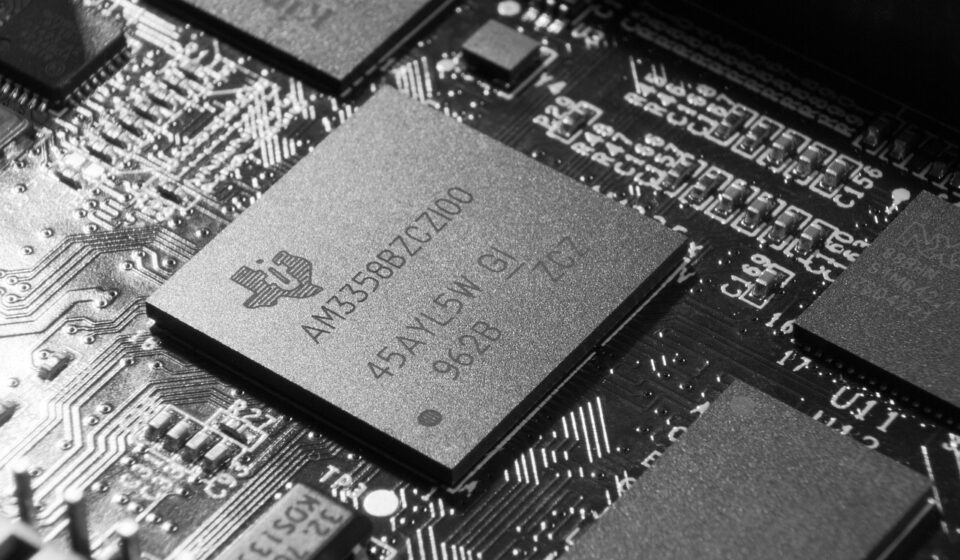
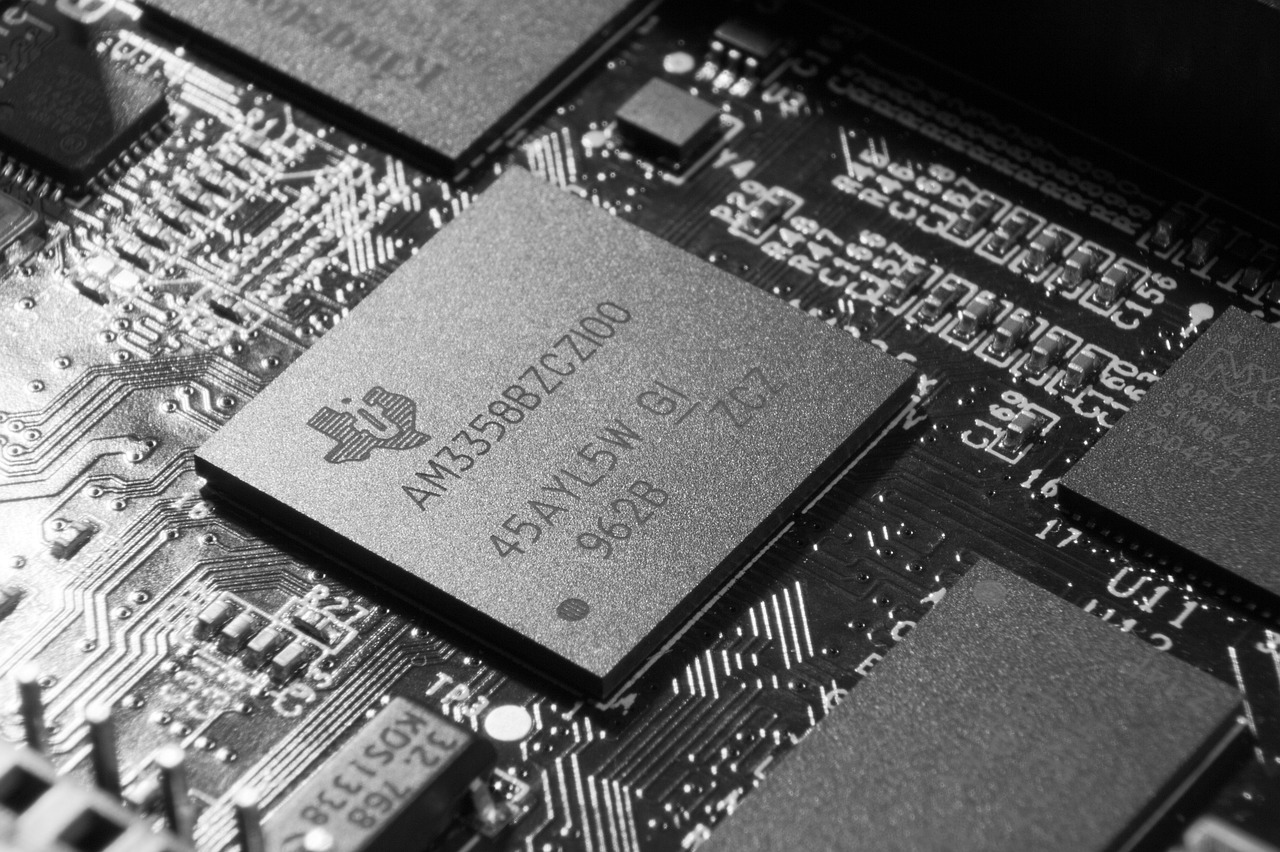
The best-known model in this family is BeagleBone Black. Official BeagleBoard documentation reviewed on October 14, 2026 identifies BeagleBone Black as a staple open-hardware embedded Linux single-board computer and lists revision B and later boards with the TI Sitara AM3358BZCZ100 device. The same documentation lists 512MB DDR3L memory and 4GB onboard eMMC. The PRU Cookbook describes the board as having an AM335x 1GHz ARM Cortex-A8 processor, 4GB eMMC, Ethernet, HDMI, USB client, USB host, two 46-pin headers and two PRU 32-bit microcontrollers.
Those specifications are modest by desktop or AI-board standards, but they set a useful design boundary for embedded Linux. The board has enough memory and storage for a Debian-based image and common development tools, but not enough headroom to ignore process count, logging volume, desktop overhead or write endurance. A graphical desktop image can be convenient for lab work. For headless systems, a non-graphical IoT image is usually a better fit.
| Design area | BeagleBone implication | Planning note |
|---|---|---|
| CPU and memory | AM335x Cortex-A8 class processing with 512MB RAM on BeagleBone Black | Keep services lean; avoid assuming desktop-class multitasking. |
| Storage | 4GB eMMC plus microSD boot options | Plan update strategy, logs and package growth before field use. |
| I/O headers | Two 46-pin headers expose many interfaces | Verify pinmux, voltage levels and conflicts early. |
| PRU | Two 32-bit programmable real-time units on BeagleBone Black | Use PRU for timing-sensitive I/O rather than forcing Linux userspace to meet hard timing. |
| Capes | Add-on boards can extend sensors, relays, motors or communications | Confirm overlay support and mechanical/electrical compatibility. |
The eMMC is especially important. BeagleBoard’s high-level specification says the onboard eMMC connects to the processor’s MMC1 port and that microSD can be used as another boot source. It also warns that some GPMC signals may not be available because they are used by eMMC. This is a typical embedded Linux trade-off: a convenient onboard boot device can consume signals that a custom board designer might otherwise want.
Current Debian image choices and what they mean
BeagleBone Linux work usually starts with an official Debian image rather than a custom distribution. That approach makes sense for bring-up because the image already includes board-specific bootloader, kernel, device tree and package assumptions. Once the application stabilizes, teams can decide whether to stay on Debian, trim the system, or move to a custom Yocto or Buildroot flow.
As of October 14, 2026, the BeagleBoard.org software image page listed BeagleBone Black Debian 13.7 images dated September 15, 2026. The listed variants included an Xfce graphical image using the am33x-v6.18 branch, an IoT non-graphical image using the am33x-v6.18 branch, an IoT image using the am33x-v6.12 branch and an IoT image using the ti-linux-5.10.y branch. The same page also listed U-Boot v2022.04-bbb.io-am335x-am57xx for these BeagleBone Black images.
| Image type listed | Date listed | Kernel branch listed | Best fit |
|---|---|---|---|
| Debian 13.7 Xfce | September 15, 2026 | am33x-v6.18 | Interactive evaluation, teaching, quick desktop access |
| Debian 13.7 IoT | September 15, 2026 | am33x-v6.18 | Headless projects that want a newer branch |
| Debian 13.7 IoT | September 15, 2026 | am33x-v6.12 | Projects preferring a conservative kernel line |
| Debian 13.7 IoT | September 15, 2026 | ti-linux-5.10.y | Projects tied to older TI-oriented kernel behavior or existing overlays |
This image snapshot is not a recommendation to choose the newest image for every project. It shows that BeagleBone development has more than one practical kernel path. A classroom lab may prefer one known image for a semester. A product prototype may freeze a tested image and security-update selected packages. A driver experiment may need a newer kernel branch, while a legacy cape may behave more predictably with an older TI-oriented branch.
Use eMMC, microSD or both deliberately
For experiments, booting from microSD is low-risk because it leaves the onboard eMMC available for recovery or comparison. For a repeatable demonstration, flashing eMMC can simplify startup and reduce dependence on removable media. Official BeagleBoard getting-started material notes that boards with onboard eMMC can be flashed and that the user LEDs show a chaser pattern during flashing before turning off when the operation is complete. In practical terms, developers should treat image flashing as part of the release process, not as an informal last step.
A repeatable project should record the exact image name, image date, kernel branch, U-Boot version and configuration changes. Without that record, two boards that appear identical can behave differently after a package update, overlay change or bootloader change.
Device tree, capes and pin planning
Many BeagleBone embedded Linux issues are not caused by Linux application code. They come from pin multiplexing, device tree configuration, cape overlays or electrical assumptions. The AM335x processor exposes many functions through shared pins, so enabling one peripheral can prevent another from using the same pad. This is normal in embedded SoC design, but it can surprise developers who first approach the board as a small Linux computer.
BeagleBoard cape documentation explains that capes are add-on boards for BeagleBone and PocketBeagle families and that the cape interface specification enables common device tree overlays and software across different BeagleBone boards. It also notes that device tree overlays absorb internal pin-assignment differences between boards. That is helpful, but it does not remove the need to verify each design. A cape that works with one image, kernel branch or board variant may still need validation with another.
- Start with a pin table before wiring sensors, displays or transceivers.
- Check whether HDMI, eMMC, UART, SPI, I2C, PWM or PRU use conflicts with the same header pins.
- Keep a copy of the exact overlay configuration used for a working build.
- Validate voltage compatibility; BeagleBone I/O is not a universal 5V-tolerant interface.
- Use serial console access for boot and overlay debugging, especially when networking is not yet stable.
The key point is that BeagleBone is transparent rather than automatic. It exposes enough hardware detail to teach real embedded Linux practices, but that also means software and hardware planning are inseparable. See also: device architecture.
When to use Linux userspace, kernel drivers or PRU
A common mistake is to ask Linux userspace to do every I/O task. Linux is excellent for networking, filesystems, device management, scripting, limited container use, logging and protocol handling. It is not the right place for every microsecond-level waveform, capture loop or deterministic timing task. BeagleBone’s PRU subsystem exists because some embedded control tasks benefit from a small, predictable co-processor next to the main ARM core.
The BeagleBoard PRU Cookbook uses LED blinking as an introductory example and lists two PRU 32-bit microcontrollers on BeagleBone Black. In real projects, that architecture can support tasks such as deterministic GPIO sequencing, tight sampling loops or offloading a custom interface while Linux handles configuration, networking and higher-level application logic.
| Task | Reasonable layer | Why |
|---|---|---|
| REST API, MQTT, SSH, logging | Linux userspace | Benefits from standard packages and network services. |
| I2C or SPI sensor using existing driver | Kernel driver or userspace interface | Depends on performance, driver availability and maintenance needs. |
| Fast deterministic GPIO pattern | PRU | Avoids scheduling jitter from Linux userspace. |
| Custom industrial timing loop | PRU plus Linux coordination | Separates timing-critical work from management code. |
| Display dashboard | Linux userspace | Works well with existing graphics and web stacks if resources are sufficient. |
This split also helps maintainability. A project that places all logic in a timing-sensitive userspace script may work during a demo and fail under CPU load, network activity or package changes. A project that clearly separates Linux duties from PRU duties is easier to test and explain.
Deployment limits to check before moving beyond the bench
BeagleBone can support serious prototypes and some deployed systems, but it should not be treated as deployment-ready by default. Embedded Linux reliability depends on power, storage, boot recovery, update control, thermal conditions and physical I/O protection. These concerns are often more important than raw board specifications.
- Power stability: confirm supply voltage, current headroom and behavior during attached peripheral startup.
- Storage writes: reduce unnecessary logging, rotate logs and decide whether the root filesystem should be writable in production.
- Image control: freeze a known image and document kernel, bootloader and overlay versions.
- Security posture: change default credentials, close unused services and plan package updates.
- Recovery path: keep a serial console method, a bootable microSD image and a known-good eMMC flashing procedure.
- Hardware protection: add isolation, level shifting, ESD protection or industrial transceivers where the environment requires them.
The decision point is not simply whether BeagleBone can run the application. The better question is whether the board, image and I/O design can be reproduced, updated and recovered under realistic operating conditions. If the answer is no, the project may still be a good BeagleBone prototype, but it is not yet a deployable embedded Linux system.
Frequently asked questions
Is BeagleBone better than Raspberry Pi for embedded Linux?
Neither board is universally better. BeagleBone is often attractive when direct I/O, PRU timing, cape-style expansion and embedded hardware visibility matter. Raspberry Pi boards often offer stronger multimedia and broader consumer ecosystem support. The right choice depends on whether the project is mainly an I/O control node, a Linux application computer or a multimedia/network appliance.
Should I use the Xfce image or the IoT image?
Use Xfce when a graphical desktop helps with learning, classroom setup or quick visual access. Use an IoT non-graphical image for most headless embedded work because it reduces desktop overhead and better matches how the device will run after deployment.
Can BeagleBone run real-time applications?
BeagleBone can support timing-sensitive designs, but standard Linux userspace is not hard real time. For deterministic I/O, use the PRU where appropriate, consider real-time kernel options only after testing, and design the system so Linux handles coordination rather than every timing edge.
Is Debian enough for a production embedded system?
Debian can be enough for some controlled deployments, especially when maintainability and package availability matter. For tighter footprint, controlled build provenance or long product lifecycles, teams may evaluate Yocto or Buildroot. The main requirement is not the distribution name; it is having a reproducible build, update policy and recovery process.
What is the first thing to document in a BeagleBone Linux project?
Document the exact board revision, image filename, image date, kernel branch, U-Boot version, overlay configuration and boot source. Those details often explain differences between two boards that otherwise appear to be running the same project.