How to choose embedded Linux hardware for long-life edge products
Embedded Linux hardware selection starts with lifecycle risk
Embedded Linux hardware is the physical platform, firmware stack and support ecosystem that allow a Linux-based product to run reliably outside a desktop or server environment. For teams building gateways, industrial controllers, smart displays, robotics, medical peripherals or connected appliances, the main question is not simply which board is fastest. It is whether the hardware can be supported, patched, rebuilt and sourced for the expected product lifetime.
A low-cost board can be attractive during prototyping, but it can become a production risk if its kernel branch, device drivers, boot firmware, security features or supply chain cannot support a long field life. For more embedded platform coverage, see our embedded platforms section.
A practical selection process should cover five areas: processor and memory headroom, mainline and vendor Linux support, secure boot and update capability, industrial I/O and environmental fit, and evidence of long-term maintenance. These factors are becoming more important as Linux-based products face longer patch windows, software bill of materials expectations and clearer cybersecurity obligations in regulated markets.
What counts as embedded Linux hardware
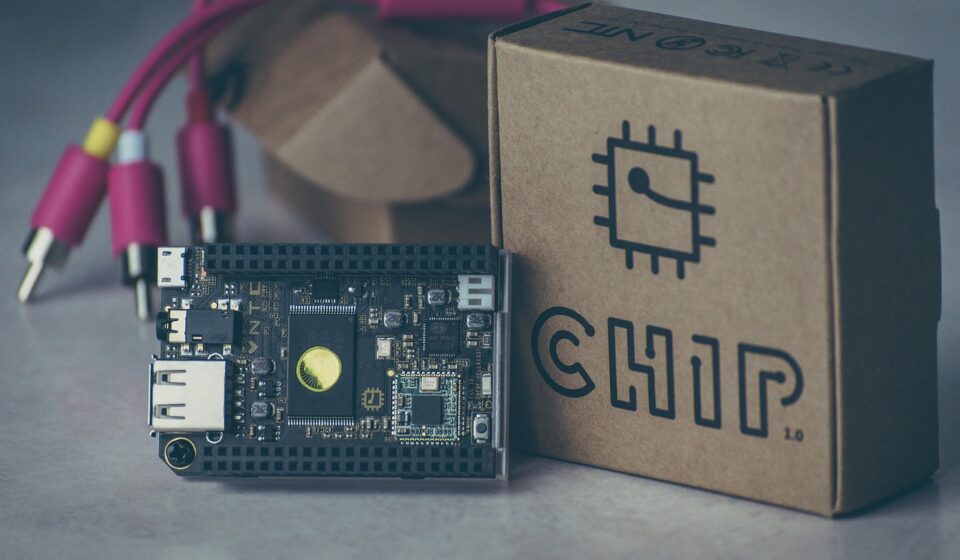
In engineering discussions, embedded Linux hardware may mean a single-board computer, a system-on-module, a custom carrier board, a microprocessor-based industrial controller, an edge AI gateway or a fully custom PCB built around an application processor. The shared requirement is that the device runs a Linux kernel and user space rather than only a small real-time operating system. It usually needs an MMU-capable processor, external or integrated RAM, non-volatile storage, boot firmware, power management and interfaces for the product’s sensors, networks and displays.
The hardware choice also shapes the software architecture. A Cortex-A or x86 platform with 2 GB of RAM can support containers, secure update agents and a richer application framework. A smaller MPU with 128 MB or 256 MB of RAM may run Linux successfully, but every package, logging process and update mechanism needs tighter control. The board is only the visible part of the decision. The less visible part is the board support package, bootloader, kernel patches, device-tree quality, driver licensing, manufacturing test access and vendor commitment.
For early prototypes, a widely available developer board may be enough. For a product that must ship for years, the safer path is often a production module or industrial SBC with a published lifecycle, stable documentation and a clear route from prototype to manufacturable design.
Use software support as a hardware filter
The first serious filter is not CPU frequency. It is whether the board can run a maintainable Linux stack. Hardware that depends on a heavily patched, outdated vendor kernel can create long-term security and maintenance problems, even when the silicon looks strong on paper. Kernel.org’s release page shows why this matters: long-term kernels have projected end-of-life dates, and those dates can change depending on maintenance commitment and industry support. For example, its release information has listed Linux 6.6 as a long-term branch with projected maintenance through December 2027. (kernel.org)
For products with industrial or infrastructure lifetimes, project-level maintenance can also matter. The Civil Infrastructure Platform project describes its Super Long Term Stable kernels as having a ten-year maintenance period, reflecting the needs of civil infrastructure and industrial systems that cannot be replaced quickly. (cip-project.org)
Build system support is the next filter. The Yocto Project is common in embedded Linux because it allows teams to create reproducible, customized Linux images instead of installing a general-purpose distribution and removing packages afterward. The Yocto Project release page lists Wrynose 6.0 as an LTS series released in 2026 and supported until April 2030, while Scarthgap 5.0 remains an LTS line supported until April 2028. (yoctoproject.org)
That does not mean every project must use Yocto. Buildroot can work well for simpler images. Debian derivatives can help when package availability and developer familiarity matter more. Ubuntu Core or similar systems may fit appliance-style products. The key is to choose hardware whose vendor support aligns with the operating system strategy, not to let an unsupported board dictate the software architecture.
Hardware features that matter in production
A production-ready embedded Linux platform should be evaluated as a complete system. Processor benchmarks are useful, but they do not replace checks for boot reliability, storage endurance, recoverability and field service.
| Area | What to verify | Why it matters |
|---|---|---|
| Processor and memory | CPU architecture, thermal envelope, RAM size, memory bandwidth and accelerator support | Determines application headroom, container feasibility and thermal design risk |
| Storage | eMMC grade, removable media policy, wear leveling, read-only root options and A/B partition support | Storage failure is a common field risk in always-on Linux devices |
| Boot chain | ROM boot, first-stage loader, U-Boot or UEFI path, rollback protection and recovery mode | Defines whether failed updates can be recovered without physical service |
| Security hardware | Secure boot root of trust, TPM or secure element, hardware unique keys and cryptographic acceleration | Supports device identity, encrypted storage, signed updates and remote attestation |
| I/O and networking | Ethernet, Wi-Fi, cellular, CAN, RS-485, PCIe, USB, MIPI, GPIO and real-time needs | Reduces redesign risk when product interfaces change |
| Industrial fit | Temperature range, vibration tolerance, power input, enclosure fit and certification path | Consumer boards may fail product requirements even when Linux support is good |
Thermal design deserves particular attention. Many embedded Linux products run unattended in cabinets, vehicles, kiosks or outdoor enclosures. A processor that performs well on a development bench may throttle in a sealed enclosure. Teams should evaluate sustained workloads, not only peak performance.
Storage should also be tested under realistic logging, update and power-loss conditions. If the device writes logs constantly to low-end flash, software behavior can become a hardware failure mode.
Prefer upstreamable platforms and standard boot paths
Mainline Linux support is not a guarantee by itself, but it is an important signal. A platform with upstream drivers, clean device-tree files and active kernel community support is usually easier to maintain than a platform that depends on a frozen vendor kernel. The same principle applies to boot firmware. Standardized boot paths can reduce friction when moving between hardware revisions or Linux distributions.
Arm’s SystemReady program is relevant here because it focuses on making Arm-based systems work more predictably with standard operating systems. Arm describes SystemReady Devicetree as a band for embedded systems where Devicetree is the preferred hardware description method, with a focus on forward compatibility for Linux and BSD environments. (arm.com) See also: device architecture.
For buyers, the useful question is not simply whether a board “supports Linux.” Ask which kernel version is supported, whether the vendor’s patches are upstream, whether device-tree sources are maintained, whether bootloader sources are available, and whether the vendor publishes security advisories. If a supplier cannot answer these questions, the engineering team may inherit unsupported code at the worst possible time: after the product is already in the field.
Security and compliance are now hardware selection criteria
Security requirements increasingly reach down into hardware decisions. The EU Cyber Resilience Act entered into force on December 10, 2024. The European Commission states that its main obligations apply from December 11, 2027, while reporting obligations for actively exploited vulnerabilities and severe incidents apply from September 11, 2026. (digital-strategy.ec.europa.eu)
Even for products sold outside the EU, the direction is clear: connected hardware is expected to have a support plan, a vulnerability handling process and an update capability. NIST’s IoT cybersecurity guidance also frames cybersecurity as a product lifecycle issue. NISTIR 8259 R1, published in April 2026, focuses on foundational activities for IoT product manufacturers, and the related NIST baseline materials cover capabilities such as device identification, device configuration, data protection, logical access control, software update and cybersecurity state awareness. (nist.gov)
These expectations affect embedded Linux hardware in practical ways. A device should be able to identify itself securely, verify signed software, protect credentials, receive security updates, report meaningful version information and recover from failed updates. If the hardware lacks secure key storage or a reliable update path, software teams may be forced into weaker designs. Conversely, a board with TPM support, secure boot, hardware random number generation and robust flash layout options gives the software team a stronger base.
Board type comparison for product teams
The right embedded Linux hardware format depends on volume, time-to-market, certification burden and customization needs. There is no universal answer, but the trade-offs are predictable.
| Option | Strengths | Limitations | Typical fit |
|---|---|---|---|
| Developer SBC | Fast prototyping, broad community, low entry cost | Lifecycle, certification and supply chain may be uncertain | Proof of concept, lab tools, internal demos |
| Industrial SBC | Better temperature range, documentation and availability | Less mechanical flexibility than a custom board | Gateways, kiosks, automation devices |
| System-on-module | Separates complex compute design from custom I/O carrier | Vendor dependency and connector constraints | Medium-volume products needing custom interfaces |
| Custom board | Optimized cost, size, power and interface layout | Higher engineering, compliance and maintenance burden | High-volume or highly constrained products |
A practical approach is to prototype on a developer kit from the same module or SoC family planned for production. This keeps early software work closer to the final device. If the prototype uses a convenient but unrelated board, the team may underestimate the effort needed to port device trees, drivers, display panels, wireless modules and power management.
A practical checklist before committing
- Confirm the product lifetime. A three-year device and a ten-year industrial gateway require different kernel, component and supplier strategies.
- Ask for the exact BSP contents. Identify kernel branch, bootloader version, patches, licenses and maintenance policy.
- Check update architecture early. Decide whether the design needs A/B updates, delta updates, rollback protection or offline recovery media.
- Validate security primitives. Confirm secure boot, key storage, random number generation, encrypted storage support and debug-port control.
- Test worst-case thermal behavior. Use the enclosure, expected ambient temperature and sustained workloads, not only open-bench tests.
- Review supply chain evidence. Look for published lifecycle statements, second-source options for critical parts and realistic lead-time data.
- Plan compliance documentation. Track software components, licenses, security updates and vulnerability handling from the first engineering build.
The most useful purchasing document is often not the price quote. It is a support matrix showing kernel versions, Yocto or distribution versions, boot firmware, security features, industrial ratings and planned availability. If two boards have similar performance, the one with clearer maintenance evidence is usually the lower-risk choice.
Frequently asked questions
Is embedded Linux hardware the same as an IoT board?
Not always. Many IoT boards run embedded Linux, but some use microcontrollers and real-time operating systems instead. Embedded Linux hardware generally needs enough memory, storage and processor capability to run a Linux kernel, user space and the required networking or application services.
How much RAM does an embedded Linux device need?
It depends on the software stack. Very small Linux systems can run in limited memory, but gateways with containers, browsers, machine vision or heavy logging may need 1 GB, 2 GB or more. The safest approach is to measure the real application under update, logging and failure conditions, then add headroom for future security and feature updates.
Should a product team choose Yocto or a general-purpose Linux distribution?
Yocto is strong when the product needs a reproducible, minimal and controlled image. A general-purpose distribution can be useful when package breadth and developer speed matter more. The hardware decision should support whichever path the team chooses, including kernel maintenance, security updates and image rebuilds.
Can a prototype board be used in production?
Sometimes, but only after checking lifecycle, supply stability, thermal limits, certifications, security features and mechanical fit. A board that is excellent for development may not be appropriate for a product exposed to heat, vibration, long support periods or regulatory requirements.
What is the biggest mistake when selecting embedded Linux hardware?
The biggest mistake is treating hardware as a bill-of-materials item only. For Linux-based products, the long-term cost often comes from BSP maintenance, update failures, security patching, driver gaps and supply disruption. Hardware should be chosen with the software lifecycle in mind from day one.