Keyless entry locks in 2026 and what to verify before installation
Keyless access is useful, but the lock still has to work as a lock
Keyless entry locks are no longer limited to battery-powered keypad deadbolts. In 2026, the category covers PIN pads, app-controlled smart locks, fingerprint readers, NFC phone keys, Bluetooth proximity unlock, Matter-enabled devices, and emerging Aliro-based digital credentials.
For installers, property teams, and buyers, the main question is not whether the product looks modern. It is whether the lock is mechanically sound, correctly fitted, securely managed, recoverable during failures, and supported with software updates. Treat each installation as a combined hardware, power, network, and identity check rather than a simple device swap. For more diagnostic frameworks across connected hardware, see the field diagnostics section.
What keyless entry locks actually replace
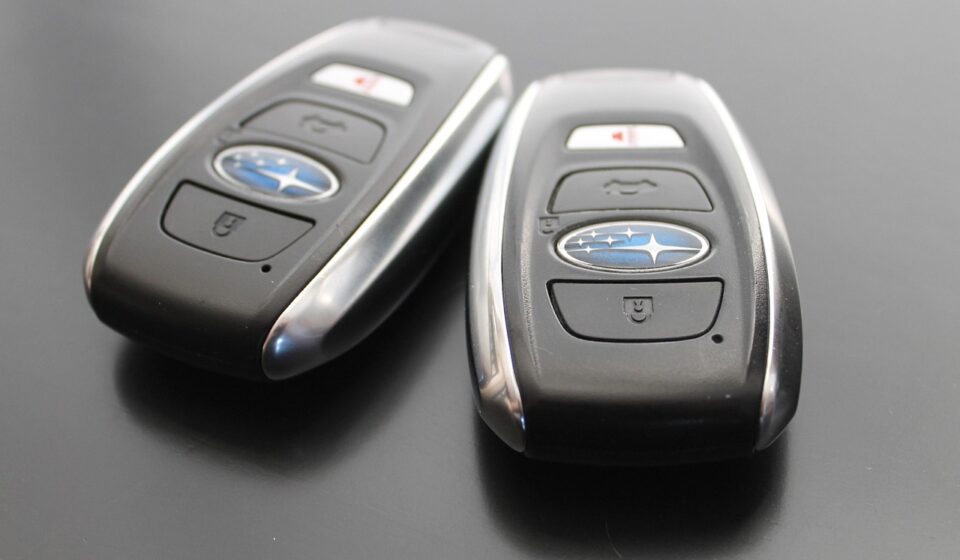
A traditional keyed deadbolt uses a physical key as the main credential. A keyless lock replaces or supplements that credential with one or more electronic methods. The door may still have a mechanical key cylinder, but daily access can shift to a PIN, mobile app, fingerprint, NFC tap, wearable, fob, temporary guest code, or automated unlock rule.
That shift can solve practical access problems. A homeowner can give a contractor a time-limited code instead of copying a key. A property manager can remove a code after a stay. A family can avoid hiding a spare key outside. A small office using a residential-style smart lock may be able to review basic access events, depending on the product and privacy settings.
Keyless access, however, does not automatically make a door more resistant to forced entry. A weak strike plate, hollow door edge, poor alignment, short screws, or low-grade deadbolt may still be the easier attack path. The first diagnostic question should be mechanical: does the lock bolt extend fully and smoothly into a reinforced strike when the door is closed?
The 2026 standards picture buyers should understand
Several standards and programs now influence keyless entry locks, but they address different risks. Confusing them can create false confidence. A connectivity logo is not a physical security grade, and a hardware grade is not proof of strong app security.
| Standard or program | What it helps evaluate | What it does not prove by itself |
|---|---|---|
| ANSI/BHMA hardware standards | Mechanical performance, strength, cycle durability, finish, and lock category requirements. Current BHMA references include residential deadbolts and residential locksets as separate categories. | It does not prove that an app, cloud service, or mobile credential system is secure. |
| NIST consumer IoT baseline | Cybersecurity outcomes such as asset identification, secure configuration, data protection, access control, software update capability, and cybersecurity state awareness. | It is a baseline framework, not a product review score for a specific lock. |
| FCC U.S. Cyber Trust Mark | A voluntary U.S. labeling program for qualifying consumer IoT products, including smart home categories such as smart locks. The label is intended to point consumers to security information through a QR-linked registry. | Absence of the mark does not automatically mean a lock is insecure, especially while adoption develops. |
| Matter | Smart-home interoperability for supported device types, including door locks, across participating ecosystems. Matter 1.6 was released in June 2026 with improvements focused on setup, multi-ecosystem management, and clearer device status communication. | It does not replace physical lock grading, and a platform may not expose every manufacturer feature. |
| Aliro | A mobile credential and access-control standard released as Aliro 1.0 in February 2026, designed to improve interoperability between phones, wearables, locks, and access readers using technologies such as NFC, Bluetooth Low Energy, and UWB. | It is not the same as Matter. It focuses on digital access credentials rather than general smart-home control. |
The practical takeaway is to evaluate a keyless lock in layers. Hardware standards help with door-side risk. IoT cybersecurity guidance helps with software and data risk. Matter helps with smart-home control. Aliro becomes relevant when phone or wearable credentials need to work more consistently across brands.
Field checks before installing a keyless lock
Check door fit before checking app features
Many smart lock complaints start as ordinary door problems. If a door sags, rubs, swells in humidity, or has to be pulled into position before it latches, the motor may struggle to throw the bolt. That can increase battery drain, cause incomplete locking, and make a working lock look defective.
Before installation, verify door thickness, backset, bore diameter, edge bore position, handing, and clearance around trim. Confirm that the deadbolt extends fully with the door closed, not only when the door is open. If the lock includes a door-position sensor, check magnet placement and alignment carefully; a misread door state can affect automation and user trust.
Plan for power failure and recovery
Most residential keyless entry locks are battery powered. Battery life varies by radio type, motor load, temperature, usage volume, and firmware behavior. A lock that performs well on a test bench may behave differently on a weather-exposed door with a tight bolt.
Useful recovery features include low-battery warnings, visible battery status in the app, an external emergency power contact, a physical key override, or a reliable inside thumb turn. For rental, office, or shared-home environments, document who receives alerts and who has authority to replace batteries. Without a recovery plan, a smart lock can become a lockout risk.
Test connectivity where the lock will actually live
Front doors are often difficult radio locations. Metal doors, foil-backed insulation, masonry, reinforced frames, thick glass, and distance from the router can reduce signal quality. Wi-Fi locks are convenient because they may not require a hub, but Wi-Fi typically consumes more power than low-power mesh options. Thread, Zigbee, and Z-Wave style deployments may improve battery expectations, but they require compatible hubs, border routers, or controllers.
For a practical field test, check signal strength with the door closed, after the exterior escutcheon is installed, and from the locations where users will send unlock commands. If remote control is required, confirm that it still works after a router reboot and after a temporary internet outage. Local keypad entry should remain available when cloud services are unreachable.
Cybersecurity and access management checks
A keyless lock controls a physical entry point, so account security matters. The lock should support unique users rather than one shared family code for everyone. It should allow codes to be deleted quickly, support temporary access windows when needed, and make administrator permissions clear.
For connected models, evaluate the full product, not only the metal device on the door. NIST describes consumer IoT products as including supporting components such as mobile apps, hubs, and backend services. That distinction matters because a lock can be physically sound while still depending on weak app authentication or unclear update support. See also: device architecture.
- Administrator control: Use a strong account password and enable multi-factor authentication where available.
- PIN hygiene: Avoid obvious codes, birthdays, repeated digits, or codes shared across properties.
- Guest access: Prefer time-limited or single-purpose codes over permanent shared codes.
- Update policy: Check whether the manufacturer states how long security updates will be provided.
- Data visibility: Review whether access logs, names, location signals, or video integrations are stored in the cloud.
- Account transfer: For rented, sold, or reassigned properties, reset the lock and remove old administrators.
The FCC Cyber Trust Mark is worth watching because it is designed to make baseline cybersecurity information easier to identify for consumer IoT products. It should still be treated as one signal among several. For a door lock, installation quality, access management, backup entry, and manufacturer support remain just as important.
Choosing the right credential mix
The best credential is the one that fits the environment and its failure conditions. A lock used by two adults in a single-family home has different needs from one used in a short-term rental, small office, or multi-generational household. Do not choose a lock only because it has the longest list of unlock methods. More methods can improve convenience, but they also create more policies to manage.
| Credential type | Strengths | Watch points |
|---|---|---|
| PIN code | Simple, phone-free, easy to share temporarily. | Codes can be reused, observed, or forgotten. Use unique and expiring codes where possible. |
| Fingerprint | Fast daily entry and useful for children or users without phones. | Performance can vary with moisture, dirt, gloves, sensor quality, and user enrollment. |
| Mobile app | Remote management, alerts, and integration with other devices. | Depends on account security, phone availability, app support, and sometimes cloud services. |
| NFC or mobile wallet key | Convenient tap-to-unlock experience when supported. | Compatibility may vary by lock, phone, platform, wallet, and region. |
| UWB hands-free access | Potentially more precise proximity-based unlocking than basic Bluetooth approaches. | Requires compatible hardware and careful configuration to avoid unwanted unlock behavior. |
| Mechanical key | Reliable fallback when batteries, phones, or electronics fail. | Key control still matters; lost keys may require rekeying or cylinder replacement. |
For most homes, a balanced setup includes a strong mechanical deadbolt, unique PINs, app management for administrators, a battery recovery method, and a documented fallback. For higher-turnover spaces, the ability to issue and revoke codes cleanly is often more valuable than a novel biometric feature.
Maintenance and failure scenarios to plan for
Keyless locks need periodic checks. A quarterly review is reasonable for most residential doors, while high-traffic doors may need more frequent attention. Confirm that the bolt still moves freely, batteries are healthy, firmware is current, user lists are accurate, and backup keys or emergency power methods are available.
Weather exposure deserves special attention. Exterior keypads and readers face rain, UV exposure, freezing temperatures, dust, and salt air in coastal regions. Check the manufacturer temperature range and installation guidance before placing electronics on an exposed gate or unprotected exterior door. A lock designed for a covered residential entry may not be suitable for a fully exposed perimeter application.
Also test the scenarios people often ignore: phone lost, router offline, battery depleted, app account locked, guest code expired too early, door swollen after rain, and administrator moved out. A short written access plan can keep a convenience product from becoming an operational problem.
Practical buying checklist
- Confirm the lock type matches the door: deadbolt, lever, mortise, retrofit, or integrated handleset.
- Check relevant ANSI/BHMA grading or certification claims instead of relying only on marketing language.
- Verify that the bolt throws smoothly when the door is fully closed.
- Choose credential methods that match real users, not just feature lists.
- Confirm backup entry options before removing an existing keyed lock.
- Check whether remote access requires a hub, bridge, subscription, or specific ecosystem.
- Review update support, privacy settings, administrator controls, and code management.
- If Matter support is important, verify exactly which features the lock exposes in the intended ecosystem.
- If mobile wallet access is important, watch Aliro compatibility and platform support, not only generic smart lock claims.
- Document battery replacement, reset procedure, and ownership transfer steps.
Frequently asked questions
Are keyless entry locks safer than regular deadbolts?
They can be more convenient and easier to manage, but they are not automatically stronger. Safety depends on the mechanical lock body, strike reinforcement, door condition, installation quality, credential management, and software support. A poorly installed smart lock can be weaker in practice than a well-installed conventional deadbolt.
Do keyless locks still need a physical key?
Not always. Some models are completely key-free, while others keep a hidden or visible key cylinder. A key-free design removes lock-picking and lost-key concerns but increases the importance of battery recovery, administrator access, and emergency entry planning.
Does Matter support mean a smart lock will work with every feature in every app?
No. Matter improves interoperability for supported functions, but platforms and manufacturers may expose different feature sets. Basic lock and unlock control may work while advanced functions such as PIN management, logs, biometrics, or proprietary wallet features remain in the manufacturer app.
What is the difference between Matter and Aliro for door locks?
Matter is mainly about smart-home device control and ecosystem interoperability. Aliro is about interoperable digital access credentials between user devices such as phones or wearables and access devices such as locks or readers. A future lock may use both, but they solve different problems.
What is the most important installation check?
Confirm that the bolt extends and retracts freely with the door closed. If the motor has to fight the frame, the lock may drain batteries, fail to lock fully, or report unreliable status. Mechanical fit is the foundation for every electronic feature that follows.