How to choose a Raspberry Pi sensors kit for learning and prototyping
What a Raspberry Pi sensors kit should include
A Raspberry Pi sensors kit should help users learn real hardware input, not simply collect a long list of unrelated modules. For most learners and prototype builders, a useful kit includes a mix of digital sensors, I2C modules, one or two SPI or UART devices, basic cables, resistors, a breadboard, and at least one clear wiring reference. The key requirement is compatibility with the Raspberry Pi 40-pin GPIO header, which uses 3.3V logic for GPIO signals. A well-planned kit should support small projects such as motion detection, temperature logging, light sensing, distance measurement, and simple automation without unsafe wiring or obscure drivers.
When comparing sensor options for a Raspberry Pi project, start with the intended use. A classroom kit needs durable modules that are easy to explain. A home automation prototype needs stable environmental and motion sensing. A robotics kit needs distance, line, IMU, and motor-related inputs. You can review related parts in our sensors and modules section when planning a balanced parts list.
Match sensor types to Raspberry Pi interfaces
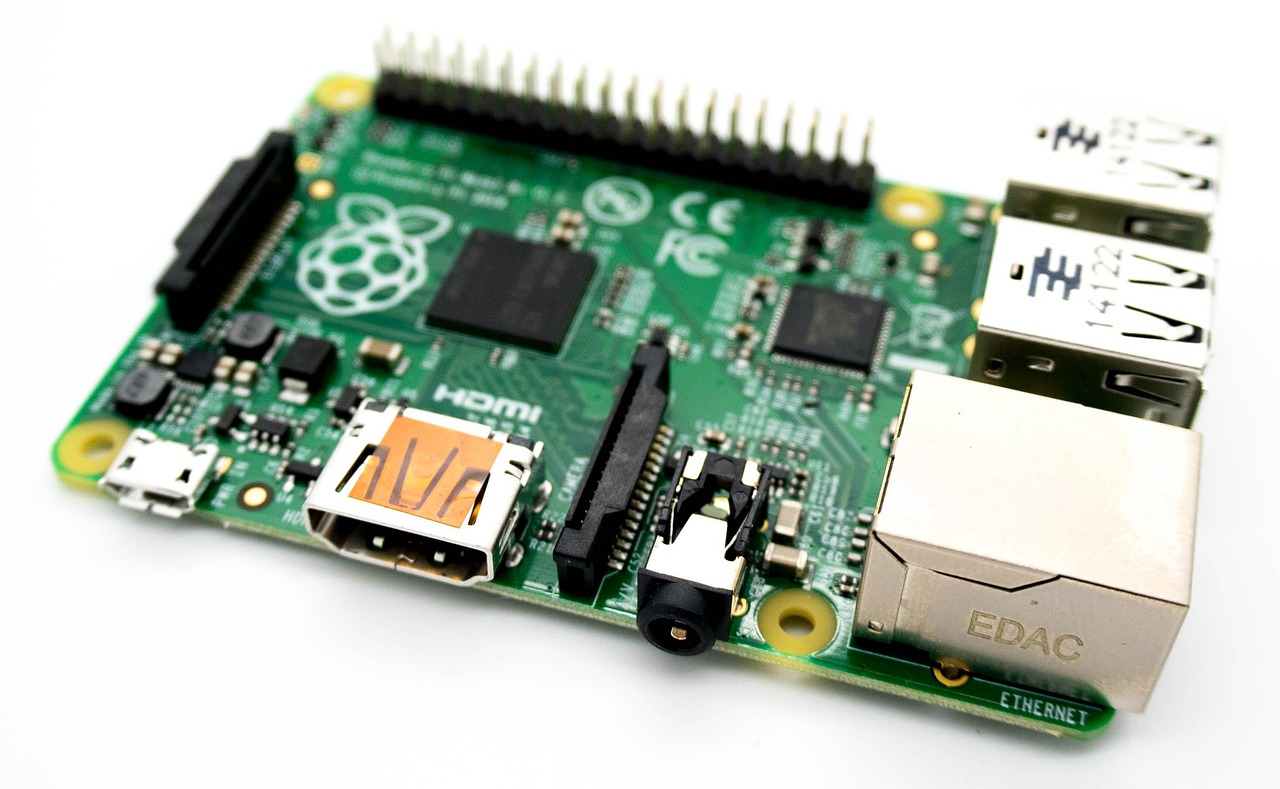
The Raspberry Pi can work with many sensors, but the interface matters more than the name printed on the module. Official Raspberry Pi hardware documentation describes the 40-pin header as providing power pins, ground pins, and GPIO pins that can also support functions such as I2C, SPI, UART, and PWM depending on configuration. GPIO Zero documentation also reflects a common learning path: start with simple input devices, then move to richer sensors and bus-based modules.
Before buying a kit, check whether its sensors use simple digital input, analog voltage, I2C, SPI, UART, 1-Wire, or camera-style connectors. This avoids two common purchasing errors: choosing analog-only modules without an analog-to-digital converter, and connecting 5V sensor outputs directly to 3.3V GPIO pins.
| Sensor category | Typical interface | Useful for | Buying note |
|---|---|---|---|
| Button, reed switch, PIR motion sensor | Digital GPIO | Entry-level input, alarms, automation triggers | Good for beginners if the output is 3.3V-safe |
| Temperature and humidity module | Digital single-wire style or I2C | Weather stations, room monitoring, HVAC experiments | I2C versions are often easier to combine with other modules |
| Light sensor | Analog or I2C | Daylight detection, smart lighting, data logging | Analog versions require an ADC such as MCP3008 or ADS1115 |
| Ultrasonic distance sensor | Digital trigger and echo | Robotics, parking sensors, object detection | Many common modules output a 5V echo signal and need level shifting |
| IMU, accelerometer, gyroscope | I2C or SPI | Motion tracking, robotics, orientation sensing | Check library support and I2C address options |
| RFID, GPS, air quality sensor | SPI, UART, or I2C | Access control, location, environmental projects | Better for intermediate users because setup is more involved |
Compatibility checks before you buy
The most important compatibility rule is voltage. Raspberry Pi GPIO uses 3.3V logic. Some sensor boards accept 5V power but still provide 3.3V-safe signals, while others may output 5V. Product pages are not always clear, so treat every 5V-powered output pin with caution unless the module documentation confirms it is safe for 3.3V logic.
Second, confirm whether the kit includes analog support. Standard Raspberry Pi single-board computers do not provide general-purpose analog input on the 40-pin header. Many popular starter kits include analog light, soil moisture, sound, or gas modules. These parts can be useful, but they need an ADC board to convert analog voltage into digital data the Pi can read. Without an ADC, an analog sensor kit may look complete but remain difficult for beginners to use.
Third, check for bus conflicts. I2C is convenient because multiple devices can share the same data and clock lines, but each device needs a usable address. A kit with several fixed-address I2C boards may create conflicts. SPI devices need chip-select planning, and UART modules can be affected by serial console configuration. These issues can usually be solved, but a kit aimed at new users should explain them clearly.
Fourth, consider the physical format. Loose sensor modules are flexible on a breadboard, while HAT-style boards sit on top of the Raspberry Pi. Raspberry Pi’s HAT+ specification is relevant for modern top-mounted expansion boards, especially around identification and electrical compatibility. However, many sensor kits are not HATs; they are collections of breakout boards connected with Dupont wires. Do not assume a kit follows a HAT specification just because it uses the GPIO header.
Starter kit, focused kit, or build-your-own selection
A starter kit is useful when the goal is broad learning. It usually provides many low-cost modules and encourages experimentation. The trade-off is that some modules may duplicate each other, require extra parts, or have limited practical use after the first lesson. If you are teaching GPIO basics, a starter kit can still be the right choice because variety helps keep lessons moving.
A focused kit is better when the project direction is already defined. For a smart room monitor, the parts list may include temperature, humidity, light, CO2 or air quality sensing, a small display, and stable power. For a robot, it may include distance, line tracking, wheel encoders, IMU, and reliable mounting hardware. For a data-logging prototype, sensor quality and interface stability matter more than the number of modules in the box.
A build-your-own selection is often the best option for serious prototyping. Instead of buying 30 sensors, choose six to ten modules that cover different interfaces and real use cases. A balanced custom kit might include a digital button, PIR motion sensor, I2C temperature and humidity sensor, I2C light sensor, SPI ADC, ultrasonic distance module with level shifting, IMU, and a small display. Add jumper wires, resistors, a breadboard, a logic-level converter, and a known-good power supply.
- Choose a starter kit if the goal is education, workshops, or first-time GPIO learning.
- Choose a focused kit if you are building a defined project such as monitoring, robotics, or access control.
- Build your own kit if reliability, repeatability, and documentation matter more than module count.
Suggested kit configurations by project goal
For a first Raspberry Pi sensors kit, keep the module list short enough that each part can be tested and understood. The following configurations are not product rankings; they are practical templates for planning a kit.
Beginner GPIO learning kit
This kit should include a button, LED, resistor set, buzzer, reed switch, PIR motion sensor, simple temperature sensor, breadboard, and Dupont wires. It teaches pull-up and pull-down logic, input debounce, event-based programming, and basic safety. It also pairs well with Python examples using GPIO Zero because the library is designed to make common input and output devices easier to control.
Environmental monitoring kit
This kit should prioritize I2C sensors for temperature, humidity, barometric pressure, light, and possibly air quality. Add a real-time clock module if the project must keep time without network access, and add a display if the device needs local readings. For outdoor or semi-outdoor use, the enclosure and sensor placement are just as important as the sensor model. Many temperature readings are distorted by heat from the Raspberry Pi itself, direct sunlight, or poor airflow.
Robotics and automation kit
This kit should include an ultrasonic distance sensor, line tracking sensors, wheel encoder support, an IMU, limit switches, and possibly a camera module depending on the project. Be careful with motor power. Motors and servos should not be powered directly from the Raspberry Pi 3.3V rail, and noisy motor circuits can cause resets or unreliable sensor readings. A robotics kit should include power separation guidance, common ground instructions, and protection against voltage spikes. See also: device architecture.
IoT prototype kit
An IoT-focused kit should include sensors that produce useful data over time: temperature, humidity, light, door state, motion, water leak, and power or current sensing where appropriate. The Raspberry Pi is strong for this role because it can run local scripts, databases, dashboards, and network services. The sensor kit should therefore favor stable modules with repeatable readings rather than novelty parts that are difficult to calibrate.
Setup workflow for safer testing
A reliable workflow prevents most beginner hardware problems. Start with the Raspberry Pi powered off, wire only one module, and check the pinout before connecting power. Use the board’s physical pin numbers and GPIO numbers carefully because they are not the same. Many wiring errors come from mixing these two numbering systems.
- Identify the interface. Decide whether the sensor uses GPIO, I2C, SPI, UART, 1-Wire, or analog output.
- Check voltage and signal level. Confirm power requirements and whether outputs are safe for 3.3V GPIO.
- Enable the needed interface. Raspberry Pi OS allows interfaces such as I2C, SPI, and 1-Wire to be enabled through configuration tools.
- Test one module at a time. Verify wiring, then run a minimal script before combining sensors.
- Record addresses and pins. Keep a small table of GPIO pins, I2C addresses, and libraries used.
- Add error handling. Real sensors can disconnect, return invalid values, or need warm-up time.
For repeatable prototypes, move beyond loose jumper wires once the circuit is proven. Breadboards are convenient for learning, but they can create intermittent faults in deployed devices. A small prototyping board, locking connectors, strain relief, and a proper enclosure can make the same sensor setup much more reliable.
Common mistakes to avoid
The first mistake is buying by module count alone. A 37-in-1 style kit may look impressive, but it is not automatically better than a smaller kit with clear documentation and compatible parts. The second mistake is ignoring software support. A sensor with a maintained Python library or standard protocol is easier to use than a cheaper module that requires outdated code.
The third mistake is treating every sensor reading as accurate. Low-cost sensors can be useful for trends and triggers, but precision depends on calibration, placement, airflow, power stability, and sensor quality. For example, a room monitor can show whether humidity is rising, but that does not make it a laboratory instrument. If a project will inform health, safety, compliance, or industrial control decisions, choose sensors with appropriate specifications and validation.
The fourth mistake is overlooking power. A Raspberry Pi, display, Wi-Fi, sensors, and actuators can draw more current than expected. Voltage drops cause random reboots, missing readings, and corrupted storage. Use a suitable power supply, separate high-current loads, and share ground only where the circuit design requires it.
Frequently asked questions
Is a Raspberry Pi sensors kit suitable for complete beginners?
Yes, if the kit includes clear wiring diagrams, 3.3V-safe modules, and beginner-friendly examples. Start with buttons, LEDs, PIR motion sensors, and I2C temperature sensors before moving to analog modules, UART devices, or robotics sensors.
Do Raspberry Pi sensor kits work with Raspberry Pi 5?
Many GPIO-based sensor modules can work with Raspberry Pi 5 because the board keeps the familiar 40-pin header. However, software libraries and low-level GPIO access methods may differ between older projects and newer systems. Check that the library supports your Raspberry Pi model and operating system version.
Why do analog sensors need an extra board?
Standard Raspberry Pi single-board computers do not provide general-purpose analog input pins on the 40-pin header. An analog sensor produces a changing voltage, so the Pi needs an analog-to-digital converter to read it as data.
Should I buy a kit with the most sensors?
Not necessarily. A smaller kit with reliable documentation, safe voltage levels, and useful interfaces is often better than a large bundle of poorly explained modules. Choose based on the projects you actually plan to build.
What is the most practical first project?
A temperature, humidity, and motion logging project is a strong first project because it combines useful data, simple wiring, and software concepts such as timed readings, event detection, and basic storage. It also gives you a foundation for home automation and IoT prototypes.