SanDisk Connect Wireless Stick explained after the Connect Drive app shutdown

What changed for the SanDisk Connect Wireless Stick
The SanDisk Connect Wireless Stick was built as a USB flash drive with its own Wi-Fi connection, so phones, tablets and computers could access stored files without a cable. The main issue today is not the flash memory itself. It is software support. SanDisk states that support for the Connect Drive mobile app ended on January 31, 2024, with no further updates and no download availability. Its lifecycle page lists the Connect Wireless Stick, model SDWS4, as last manufactured in June 2018 and now in End of Updates status. In practical terms, the device may still hold data, but mobile access should be treated as fragile rather than future-proof. (support-en.sandisk.com)
For existing owners, the priority is simple: recover or back up important files while there is still a working access path. USB access from Windows or macOS remains the most dependable route because the stick also behaves like a conventional USB drive. If the mobile app is already installed on an older phone or tablet, it may continue to work, but SanDisk warns that it may stop working as mobile operating systems change. For buyers, the risk profile is different. A used SanDisk Connect Wireless Stick may be useful for legacy testing or file recovery, but it is difficult to recommend as a primary wireless storage tool in 2026.
What the device was built to do
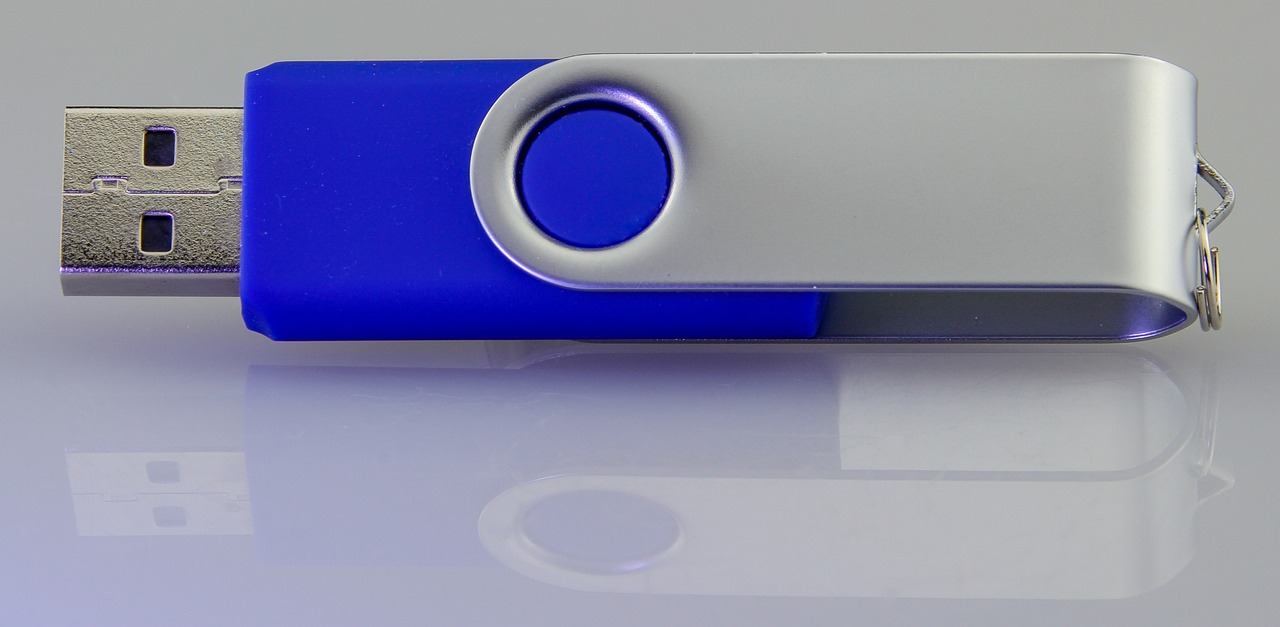
The original appeal of the SanDisk Connect Wireless Stick was straightforward: it combined a thumb drive, a portable media server and phone storage expansion in one pocket device. Official support material lists capacities of 16GB, 32GB, 64GB, 128GB, 200GB and 256GB, while the user guide describes the product as embedded flash memory in a USB flash drive form factor. The guide also specifies USB 2.0 or higher connection support, 2.4 GHz Wi-Fi using IEEE 802.11 b/g/n, WPA2 wireless security, and a built-in non-replaceable rechargeable lithium polymer battery. (support-en.sandisk.com)
In the intended workflow, a user could load movies, music, photos or documents from a computer, power on the stick, join its Wi-Fi network from a phone or tablet, and open files through the SanDisk Connect app. The same guide says the device could stream HD movies and music to up to three devices at the same time and back up a camera roll when connected. It also included features for photos, videos, music, documents, contact management, Wi-Fi security settings, WebDAV support and casting to displays through services such as Google Chromecast, Amazon Fire TV and Apple TV. (downloads.sandisk.com)
That mix explains why the product still appears in search queries years after manufacturing ended. It addressed a real need from a period when many phones had limited storage, mobile data was expensive, and direct USB-C storage on phones was less common. Today, the same need is usually handled by USB-C flash drives, portable SSDs, cloud sync, local NAS devices or phone backup apps. The wireless-stick concept can still make sense in principle, but the ecosystem around this product has moved on.
How access works now
There are three access paths to understand: USB, the mobile app and network-style access. USB is the simplest. When plugged into a PC or Mac, the Wireless Stick works like a normal USB drive, so files can be copied between the computer and the device. The user guide notes an important limitation: while the stick is plugged into a computer and functioning in USB mode, Wi-Fi functions are limited and data transfer is not allowed in that mode. In other words, it should not be treated as a live bridge between a computer USB port and wireless clients at the same time. (downloads.sandisk.com)
The second path is the SanDisk Connect mobile app. This was the main experience for iPhone, iPad and Android users because it provided browsing, backup, media streaming and configuration controls. The problem is that the app is no longer supported or available for download through official channels. SanDisk says users who already have the app installed can continue to access content, but it also states that the app may stop working at any time because there are no further updates. The current end-of-support notice also says mobile-device access without the app is not supported. (support-en.sandisk.com)
The third path is more limited and depends on the setup. The older user guide describes browser-based file access and WebDAV support. It says users could connect to the Wireless Stick Wi-Fi network, browse and download files in a web browser, and use WebDAV clients on the same network. However, the guide also warns that not all app features are available through the browser, and the current end-of-support page gives a stricter answer for phone access without the app. The safest reading is that browser and WebDAV methods are legacy fallback options worth testing on a local network, especially from computers, but they should not be treated as a guaranteed replacement for the discontinued mobile app. (downloads.sandisk.com)
Key specifications and current implications
| Area | Officially documented detail | Why it matters now |
|---|---|---|
| Product lifecycle | Last manufactured in June 2018; End of Updates from January 31, 2024 | No new app or firmware support should be expected for normal users. |
| Capacities | 16GB, 32GB, 64GB, 128GB, 200GB and 256GB listed by support material | Used listings can vary widely; capacity alone does not solve software access risk. |
| Wireless standard | IEEE 802.11 b/g/n on 2.4 GHz | Compatible with older devices, but not comparable to modern Wi-Fi performance. |
| Battery | Up to 4.5 hours of continuous use; up to 2 hours for a full charge | Aging batteries may deliver less than the original rating. |
| Range | Up to 45m, or 150 feet, line of sight | Real-world walls, interference and battery condition can reduce range. |
| Security | WPA2 password protection for the device Wi-Fi connection | A password should be enabled if the device is used in shared spaces. |
| File system notes | 64GB and higher can be formatted as exFAT; 16GB and 32GB use FAT32 | FAT32 affects file-size handling on smaller versions. |
These specifications were useful when the product was current, but they now need to be read through the lens of age. The wireless standard is limited to 2.4 GHz Wi-Fi. The battery is non-replaceable in normal consumer use. The app is no longer maintained. The hardware may still be reliable as flash storage, but the product’s original value depended on software, wireless firmware and mobile operating-system compatibility working together. (downloads.sandisk.com)
What still makes sense to do with one
If you already own a SanDisk Connect Wireless Stick, the first sensible step is to make a complete backup through USB on a trusted computer. Do this before resets, formatting or unsupported app downloads. The official guide notes that formatting will erase all data, so backups should come first. It also states that a hardware reset can restore settings such as the device name, password, power-save timer and internet connectivity settings without changing stored content. Even so, a reset should be handled carefully if the device contains the only copy of important files. (downloads.sandisk.com)
After the backup is complete, the stick may still be reasonable for low-risk local media playback, temporary file transfer or hardware learning. It can also be useful for understanding older approaches to ad hoc Wi-Fi storage, WebDAV file access and companion-app dependency. For readers following legacy wireless storage and smart hardware transitions, broader wireless connectivity coverage helps put products like this into context: the device itself may continue to power on, but its long-term usefulness is constrained by the software layer around it.
What does not make sense is relying on it as the only backup for photos, business documents or travel files. It is also unwise to install random third-party app packages found online simply because the official app is unavailable. That creates security and privacy risk without restoring official support. A safer plan is to copy the data elsewhere first, then decide whether the remaining functions are worth keeping.
How it compares with current storage choices
The SanDisk Connect Wireless Stick belongs to an older product category: pocketable Wi-Fi storage with embedded flash. Modern buyers usually have better-supported options. A USB-C flash drive can plug directly into many phones, tablets and laptops. A portable SSD offers much higher capacity and speed, especially for video workflows. A local NAS or home server is better suited to shared household storage. Cloud backup is more convenient for cross-device synchronization, although it depends on internet access and ongoing subscription or account management.
There are still situations where a self-contained wireless drive sounds attractive. It can share files without internet, reduce dependence on phone storage and support multiple viewers from one pocket device. Those benefits are why the product gained attention in the first place. The limitation is that wireless storage is only as durable as its access software. Once the companion app stops receiving updates and disappears from app stores, the product changes from a convenient accessory into a legacy device with workarounds.
For a used-device buyer, the decision should be based on risk rather than nostalgia. If the goal is to recover files from an old unit, test a legacy workflow or collect unusual storage hardware, it may be worth a low price. If the goal is dependable mobile backup in 2026 and beyond, a currently supported product category is the safer choice. Look for active app maintenance, a clear product lifecycle policy, direct USB-C or Lightning compatibility where needed, and a backup path that does not depend on one discontinued mobile app.
Timeline of the product support story
| Date | Event | Reader impact |
|---|---|---|
| June 2018 | SanDisk lists the Connect Wireless Stick as last manufactured | The hardware was already out of production years before the app shutdown. |
| January 31, 2024 | Support for the Connect Drive mobile app ended | No further updates or official app download availability should be expected. |
| August 21, 2026 | SanDisk lifecycle support page was updated with the Connect Wireless Stick still shown as End of Updates | The official support position remains that the product is legacy hardware. |
This timeline matters because it separates hardware status from app status. A USB flash drive can remain physically usable long after its commercial life ends. A wireless storage product, however, depends on compatibility between hardware, firmware, phone operating systems and companion software. The Connect Wireless Stick has reached the point where the flash memory may still be readable, but the full mobile experience no longer has a maintained official software path. (support-en.sandisk.com)
Frequently asked questions
Can I still use a SanDisk Connect Wireless Stick?
Yes, but with limits. The most dependable method is USB access from Windows or macOS. If the mobile app is already installed on a device, it may still work, but SanDisk says it is no longer updated and may stop working as the mobile environment changes. Treat the device as legacy storage, not as a guaranteed modern mobile accessory.
Can I download the SanDisk Connect app now?
SanDisk states that the Connect Drive mobile app is no longer available for download after support ended on January 31, 2024. Avoid relying on unofficial app mirrors for important data workflows because they may introduce security, privacy or compatibility problems.
Does the Wireless Stick work without internet?
It was designed to provide local wireless access without needing the internet. The user guide describes connecting directly to the stick’s own Wi-Fi network, and it also describes ways to keep internet access through mobile data or by joining the stick to an existing Wi-Fi network. Current usefulness depends on whether your access method still works on your device.
Is it worth buying used?
Usually, only for a narrow purpose. It may be useful for recovering old workflows, experimenting with WebDAV or collecting legacy wireless storage. For dependable phone backup or travel media storage, a currently supported USB-C drive, portable SSD, NAS or cloud backup setup is a safer choice.
What should I do first if I find an old unit?
Charge it, connect it to a trusted computer by USB, and copy all important files to another storage location before changing settings or formatting. After the data is safe, you can test wireless, browser or WebDAV access without risking the only copy of your files.