How a keyless door knob works inside a smart door architecture
What a keyless door knob actually does
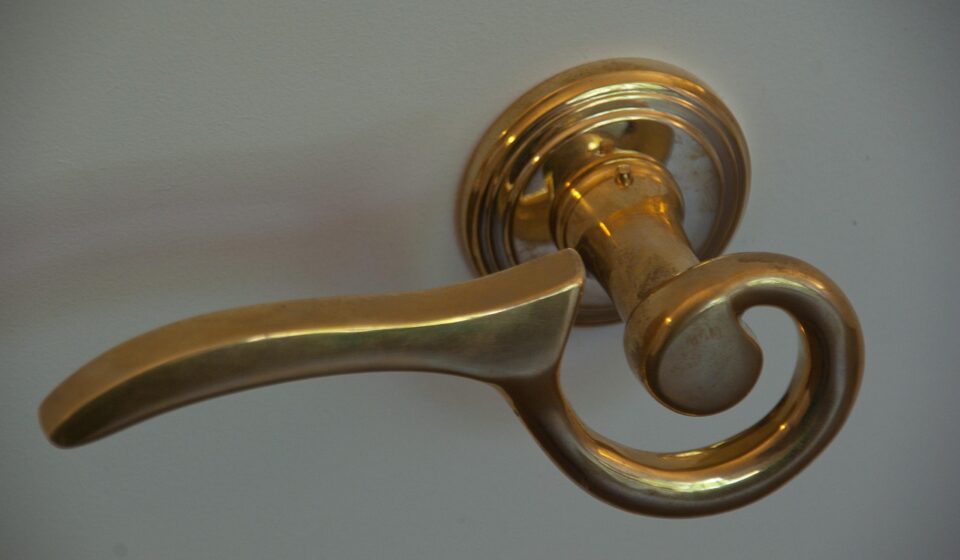
A keyless door knob replaces the keyed operation of a conventional knob or lever with an electronic credential path. Instead of turning a metal key to release the latch, the user enters a PIN, presents a card, uses a phone, scans a fingerprint, or provides another approved credential. Inside the device, a controller validates that credential and energizes a motor, solenoid, or clutch so the latch can retract or the outside handle can engage.
That simple user action depends on several layers working correctly. A reliable design has to combine mechanical strength, local authentication, power management, tamper handling, secure software updates, and predictable failure behavior. For more context on connected product structures, see the device architecture section. The key point is that “keyless” should not be read as “risk-free.” The lock removes one physical key, but it adds electronics, firmware, credentials, and network decisions that also need careful design.
Keyless door knob, keyless deadbolt, and smart lock are not the same thing
The phrase “keyless door knob” is often used loosely, but it describes a narrower product than “smart lock.” A keyless knob or lever usually controls the spring latch built into the knobset. A keyless deadbolt controls a separate bolt that throws deeper into the strike. A smart lock may be either of those, or it may be a retrofit module that turns an existing deadbolt from the inside.
This distinction matters because each product is doing a different mechanical job. A spring latch is convenient for interior rooms, offices, storage rooms, and some secondary entrances, but it is not the same physical barrier as a properly installed deadbolt. For exterior residential doors, many specifiers treat the knob or lever as the access interface and the deadbolt as the primary forced-entry barrier. A keypad knob can improve convenience, but it should not automatically be treated as a full replacement for perimeter door security.
| Product type | Main mechanical action | Typical role | Architecture concern |
|---|---|---|---|
| Keyless door knob or lever | Releases a latch through a clutch, motor, or solenoid | Convenient access for rooms, offices, gates, or light-duty entries | Latch strength, credential control, and battery life |
| Keyless deadbolt | Throws or retracts a bolt | Primary residential entry locking | Torque, alignment tolerance, manual override, and jam detection |
| Connected smart lock | May control a latch, lever, or deadbolt | Remote access, automation, logs, and ecosystem integration | Radio security, cloud dependence, updates, and fail-safe behavior |
The internal architecture from credential to latch
A keyless door knob can be understood as a chain of decisions. The credential interface captures an input. The embedded controller checks whether that input is authorized. The power subsystem supplies a short burst of energy. The actuator engages the mechanism. Depending on the design, the user then turns the knob or lever, or the device retracts the latch automatically.
The credential interface may be a keypad, RFID reader, fingerprint sensor, Bluetooth radio, NFC target, or a combination of several methods. Simpler stand-alone locks often store PINs locally and make every access decision on the device. More advanced connected designs may sync credentials from an app or access-control platform, but resilient products still preserve local unlock capability when the internet is down.
The controller is the lock’s decision center. It runs firmware, stores configuration, counts failed attempts, controls lockout periods, manages logs, and decides whether to trigger the actuator. In connected products, this controller also has to separate convenience features from security-critical decisions. A cloud service can help manage users and schedules, but the door should not become unusable only because a router, phone app, or remote server is temporarily unavailable.
The actuator is where electronics meet mechanics. Some designs use a motor and gear train. Others use a solenoid or an electronic clutch that allows the outside knob to engage only after authorization. Motorized mechanisms can provide positive movement, but they draw more power and need jam detection. Clutch-based mechanisms can be efficient because the user still provides much of the turning force, but they require durable engagement parts and good alignment.
| Subsystem | What it does | Design question to ask |
|---|---|---|
| Credential reader | Captures PIN, card, phone, biometric, or other input | Does it resist casual observation, replay, and unauthorized enrollment? |
| Controller and memory | Validates credentials and stores settings | Are credentials protected and can firmware be updated securely? |
| Power system | Runs electronics and actuator | What happens at low battery and is emergency power available? |
| Actuator or clutch | Couples authorization to latch movement | Can it detect jams, wear, or forced manipulation? |
| Sensors | Detect latch state, tamper, door position, or battery condition | Does the lock know whether the door is actually closed? |
| Mechanical override | Provides backup entry or service access | Does the override improve resilience without creating an easy bypass? |
Connectivity changes the lock architecture
Not every keyless door knob is connected. A stand-alone keypad lock may have no radio at all, which reduces remote attack surface and can simplify battery management. The trade-off is that code changes, user deletion, time schedules, and logs must be handled at the lock itself. That model can suit small offices, storage rooms, and households that do not need remote control.
Bluetooth designs usually focus on phone-based local access and setup. They can be power-efficient because the lock does not maintain a high-power network connection all day. Wi-Fi designs are easier for direct cloud connection because most homes already have Wi-Fi, but Wi-Fi radios generally require more energy than low-power mesh options. This is why Wi-Fi locks often need larger batteries, conservative wake schedules, or a bridge-based architecture.
Thread, Zigbee, Z-Wave, and similar low-power mesh approaches move the lock toward a hub or border-router model. The lock can remain a sleepy end device and wake only when needed, while the hub handles broader network communication. Matter adds another layer: the Connectivity Standards Alliance’s Matter materials identify door locks as a supported smart home device category, with Wi-Fi, Thread, Ethernet, and Bluetooth Low Energy playing different roles in setup and operation depending on the product generation and implementation.
The architectural lesson is simple: the radio should match the use case. If the buyer only needs room-level PIN access, a non-connected model may be the simpler and safer choice. If the buyer needs remote code sharing, audit logs, automation, or multi-platform integration, the product must be evaluated not only as a lock but also as an IoT endpoint.
Security requirements beyond removing the metal key
Keyless access changes the threat model. A traditional key can be lost, copied, or picked. A keyless system can introduce weak PINs, credential sharing, shoulder surfing, account takeover, radio replay attempts, vulnerable firmware, or insecure cloud workflows. A good design reduces these risks with rate limits, temporary lockouts, encrypted communication, protected credential storage, secure update mechanisms, and clear user management.
NIST’s consumer IoT cybersecurity guidance is useful here because it frames connected products around capabilities such as device identification, secure configuration, data protection, logical access control, software updates, and cybersecurity state awareness. Those ideas map directly to a connected lock. A buyer should be able to identify the product, change insecure defaults, receive updates, understand support periods, and remove users cleanly when access is no longer needed.
The U.S. FCC established a voluntary Cyber Trust Mark program for wireless consumer IoT products through rules adopted in March 2024 and published in the Federal Register in July 2024. For lock buyers, that type of label is best understood as a cybersecurity signal, not as proof of mechanical attack resistance. It can help evaluate connected-device practices, but it does not replace lock grading, installation quality, or door-frame strength. See also: embedded platforms.
Biometric versions add another layer. Fingerprint access is convenient, but biometric templates should be treated as sensitive data. The design should explain where templates are stored, whether they ever leave the lock, how failed matches are handled, and how an enrolled user is removed. A fingerprint reader can reduce PIN sharing, but it is not a substitute for secure firmware, tamper resistance, and sound mechanical design.
Mechanical ratings, egress, and installation limits
A keyless door knob still has to perform as door hardware. It must fit the bore, backset, door thickness, handing, latch faceplate, and strike location. Poor alignment can drain batteries, overload the actuator, cause false jam events, or leave the latch only partly engaged. Many reliability problems blamed on electronics begin as ordinary door-preparation problems.
ANSI/BHMA and BHMA Certified programs are relevant because they focus on tested hardware performance such as security, durability, and finish for residential hardware categories. When comparing products, a documented rating is more meaningful than vague marketing claims about strength. However, readers should check the exact product category and label rather than assuming that a grade for one type of lock automatically applies to another.
Commercial and institutional doors can involve stricter requirements. UL materials on access-control and electric locking systems discuss standards such as UL 294 and UL 1034 for certain controlled, delayed-egress, and burglary-resistant electric locking applications. Building and fire codes can also require free egress, automatic release under defined conditions, or listed hardware in specific settings. For ordinary homes, the practical takeaway is simpler: the inside operation should allow safe exit, and for regulated spaces, hardware selection should be checked against local code and professional guidance.
Weather exposure is another limit. Exterior locks need appropriate sealing, corrosion resistance, temperature tolerance, and keypad performance in rain, dust, sunlight, and cold. A lock designed for an interior office door may not be suitable for a gate or exposed exterior entrance even if it appears mechanically similar.
A practical evaluation checklist
The best way to evaluate a keyless door knob is to trace what happens during normal use, failure, and attack. The checklist below is more useful than comparing only app features or finish colors.
- Define the door role. Is this an interior room, office, rental turnover door, garage entry, or main exterior entrance? For a main entrance, decide whether a separate deadbolt is still required.
- Check the credential model. Look for individual user codes, temporary codes, easy deletion, code length options, failed-attempt lockout, and protection against obvious default credentials.
- Confirm offline behavior. The lock should explain what works when Wi-Fi, the hub, the cloud, or the phone app is unavailable.
- Review update support. Connected locks should have a clear method for software updates and a reasonable support-period statement.
- Inspect power recovery. Low-battery warnings, emergency power contacts, mechanical override, and battery replacement access are not minor details; they determine whether users are locked out during failure.
- Match the radio to the environment. Wi-Fi is convenient, while Bluetooth and Thread-style low-power approaches may be more efficient for battery devices. The right choice depends on hub availability and remote-access needs.
- Verify mechanical fit. Measure door thickness, bore diameter, backset, latch style, handing, and strike alignment before purchase.
- Separate cybersecurity and mechanical strength. A connected-device label, a lock grade, and a weather rating answer different questions. None of them should be treated as a universal quality score.
Frequently asked questions
Is a keyless door knob secure enough for a front door?
It depends on the product and the door. For many front doors, a keyless knob is best treated as the access interface, while a deadbolt provides the main physical locking strength. If the device controls only a spring latch, do not assume it offers the same forced-entry resistance as a properly installed deadbolt.
What happens when the battery dies?
Most well-designed products provide low-battery warnings before failure. Some include emergency power contacts, a hidden mechanical key override, or an interior battery compartment. The important question is not only how long the battery lasts, but how the lock behaves during low voltage and recovery.
Is Wi-Fi better than Bluetooth for a keyless door knob?
Wi-Fi is useful for direct remote access, but it can consume more power. Bluetooth is often efficient for local phone access and setup. Thread or other hub-based low-power designs can be attractive for smart-home integration. The better option depends on whether remote control, battery life, hub support, or simplicity is the priority.
Does Matter make a keyless door knob more secure?
Matter can improve interoperability and provides a standardized smart-home framework for supported device types such as locks, but it is not a complete security guarantee by itself. The lock still needs good credential handling, secure updates, protected storage, sound mechanical design, and safe failure behavior.
Should every keyless door knob have a physical key backup?
A physical override can prevent lockouts, but it also reintroduces a keyway that must be protected. Some deployments prefer mechanical backup for resilience; others prefer emergency power and administrator procedures. The right choice depends on the door’s risk profile and who must regain access during a failure.