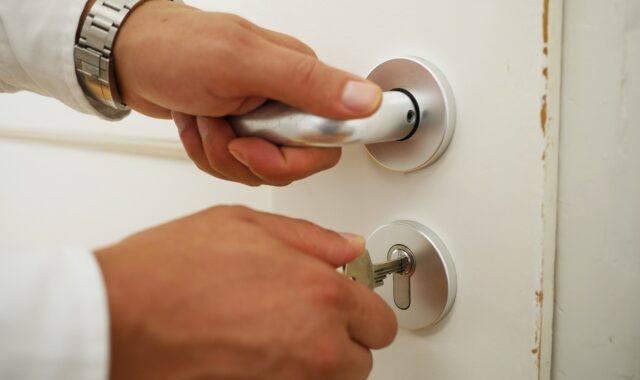
Digital main door locks for front entrances and what to check before installation
What a digital main door lock must get right
Digital main door locks are no longer simple keypad replacements for a mechanical deadbolt. On a front entrance, they have to function as a lock, an access-control device, a battery-powered electronic product and, in many homes or buildings, part of a connected smart home system. The lock should not be selected only by app features, fingerprint speed or finish color. Before installation, check the door geometry, lock body, emergency egress, power fallback, wireless behavior, firmware support and the scope of any standard marks or certification claims.
The main entrance is a demanding position for any lock. It is exposed to weather, frequent use, imperfect door alignment, household routines, delivery access, guest codes and, in some buildings, code requirements. A lock that works well on a showroom door slab can fail on site if the latch rubs against the strike plate, the door swells, the battery compartment is exposed to cold air or the wireless bridge is installed too far away. Good selection starts with field diagnostics, not with an app store rating.
The key layers behind a reliable front-door lock
A useful way to assess digital main door locks is to separate five layers that marketing language often combines. Mechanical strength asks whether the bolt, latch, strike, screws and cylinder can withstand normal use and relevant attack tests. Egress asks whether people inside can leave safely and lawfully. Power asks whether the lock has a predictable fallback when batteries run down or mains power is interrupted. Connectivity asks whether the lock can be controlled consistently without creating a fragile network dependency. Cybersecurity asks whether credentials, updates and cloud services are handled responsibly.
| Layer | What to verify in the field | Why it matters |
|---|---|---|
| Mechanical fit | Door thickness, backset, handedness, latch throw, strike depth, frame condition and screw length | A misaligned lock consumes more battery and may not fully secure the door |
| Egress | Inside operation, thumb turn or lever release, local code requirements and any fire-door restrictions | Security must not create a dangerous exit condition |
| Power | Battery type, low-battery alerts, emergency power contacts, mechanical override and behavior after power loss | Front doors need a predictable fallback, not just an app warning |
| Connectivity | Bluetooth, Wi-Fi, Zigbee, Thread, Matter support, bridge location and local control behavior | Remote features should not be required for basic entry and exit |
| Cybersecurity | Unique credentials, two-factor account options, update policy, event log controls and data minimization | A smart lock creates both physical and digital access paths |
This layered view helps prevent a common specification error: treating one strong feature as proof of the whole product. A strong deadbolt does not prove that the app is maintained well. Matter compatibility does not prove the door resists forced entry. A fast fingerprint reader does not prove the emergency exit path is acceptable. Each layer needs its own check.
Standards and claims that deserve closer reading
Standards are useful only when their scope matches the installation. In the United States, UL Standards & Engagement lists UL 1034 as an active standard for burglary-resistant electric locking mechanisms. Its current listing shows Edition 6, originally published on May 18, 2011, with a January 15, 2026 revision and ANSI approval on the same date. UL 1034 covers the construction, performance and operation of burglary-resistant electric locking mechanisms and related devices used to secure and release doors. It rates products by static strength, dynamic strength and endurance, with listed endurance ratings including 100,000 and 250,000 cycles.
This does not mean every residential smart lock must be evaluated under UL 1034, or that a UL mark solves every door problem. It does mean that, for electrified locking hardware, especially in access-control or egress-sensitive applications, a specifier should verify the correct listing instead of relying on general claims such as heavy duty or commercial grade. The 2024 International Building Code also matters in U.S. projects because some electrically locked egress-door arrangements are tied to UL 294 or UL 1034 listings. The authority having jurisdiction should determine what applies to a specific building.
For mechanical auxiliary locks in the U.S. market, ANSI/BHMA A156.36-2020 is relevant because it covers auxiliary locks with operational, cycle, strength, security and finish tests. In Europe, EN 15684:2020 applies to mechatronic cylinders and their keys or electronic keys, establishing categories of use and security grades based on performance testing and simulated attack. In the UK, BS 8621:2017 and the A1:2024 amendment are important when a mechanically operated single-point lock assembly is intended to be opened from the outside by key and from the inside without a key, allowing keyless egress.
Connected products require a different set of cybersecurity references. ETSI announced EN 303 645 V3.1.3 in October 2024 as a consumer IoT cybersecurity baseline. NIST and the FTC have also emphasized practical controls such as non-default credentials, software updates, protected interfaces and stronger account authentication. These sources do not decide which lock fits a particular door, but they do define the questions buyers should ask about the digital side of the product.
Pre-installation field diagnostics
Check the door before checking the app
The first diagnostic step is physical. Close the existing main door slowly and watch the latch enter the strike. If the user has to lift, push or pull the door to make the bolt extend, a digital lock will inherit that problem. Motorized deadbolts are especially sensitive because the motor must overcome resistance that a hand-operated bolt may hide. A door that binds in summer humidity, drops on the hinge side or shifts with weather changes can cause intermittent locking failures and rapid battery drain.
Measure the door thickness, backset and bore pattern. Confirm whether the door is left-handed or right-handed, and whether the lock supports that orientation without reversing parts in a way that weakens the assembly. Inspect the frame as well as the door leaf. A long bolt fitted into a weak strike plate, or short screws driven into soft trim, can create the appearance of security without meaningful resistance. For exposed entrances, check the product’s environmental rating and temperature range. A sheltered apartment corridor and a wind-driven exterior gate are very different installation conditions.
Verify egress and override behavior
A main entrance has two jobs: it keeps unauthorized people out and lets occupants leave quickly. Before replacing a mechanical lock, confirm how the inside release works when the electronics are asleep, the battery is dead, the network is down and the app account is unavailable. A thumb turn, lever release or other local mechanical release is not a minor convenience. It is the feature that prevents a smart entry system from becoming a trapped-entry system.
For shared buildings, rental properties, offices, shops and any door that may form part of a means of egress, treat code compliance as a project requirement rather than a product feature. Do not assume that a consumer smart lock is acceptable on a fire-rated door, exit door or access-controlled egress door. Modifying fire-door hardware, adding surface devices or using a maglock can trigger requirements beyond the smart lock itself.
Test power scenarios before handover
Power diagnostics should be completed before the installer leaves. Install fresh batteries of the recommended type, operate the lock several times with the door open, then repeat with the door closed. Listen for motor strain and check whether the bolt reaches full extension without bouncing back. Trigger or simulate a low-battery condition if the product manual explains how to do so. Confirm whether the lock supports a temporary external power source, such as contacts for a battery pack, and verify where those contacts are located.
Also confirm what remains available without cloud connectivity. At minimum, local exit should work. Ideally, stored PINs, cards or fingerprints should operate locally according to the product design. Remote unlocking, alerts and voice-assistant routines can be useful, but they should be treated as convenience layers rather than the only path into the home.
Connectivity choices and what Matter changes
Connectivity is often the most confusing part of selecting digital main door locks. Bluetooth is commonly used for nearby phone control and setup. Wi-Fi can support direct remote access but usually consumes more battery. Zigbee and Thread are low-power mesh options that often rely on a hub or border router. Some locks use a proprietary bridge. The right choice depends less on trend language and more on the distance from the router, wall material, need for remote access and the household’s tolerance for hubs.
Matter is important because it is designed to improve interoperability across smart home ecosystems. The Connectivity Standards Alliance released Matter 1.0 in October 2022 with support for door locks among its initial device categories. Later releases refined the specification. Matter 1.3, announced in May 2024, included revisions to the Door Lock cluster. Matter 1.6, announced on June 17, 2026, focused on setup, multi-ecosystem management and better status communication rather than simply adding more device categories. The CSA also notes that adoption depends on device makers and platforms, so a Matter logo should be read as a compatibility signal, not as a guarantee that every feature works identically in every app.
In field diagnostics, the practical test is straightforward: commission the lock on the intended network, place the hub or border router where it will actually be used, and test locking, unlocking, status reporting and alerts from normal user locations. If the lock behaves well only when the phone is beside the door and the router is temporarily moved closer, the installation is not ready.
Common field symptoms and likely causes
Many smart-lock complaints are not caused by failed electronics. They are caused by mechanical resistance, weak wireless placement, misunderstood credential settings or incomplete onboarding. The following table can help narrow the issue before replacing the lock.
| Symptom | Likely cause | Diagnostic check |
|---|---|---|
| Lock reports jammed or fails to lock fully | Strike misalignment, warped door or insufficient bolt pocket depth | Operate the bolt with the door open, then closed; compare resistance |
| Battery drains quickly | Motor strain, cold exposure, poor battery type or constant radio wake-ups | Check alignment, battery chemistry and wireless signal strength |
| Remote commands are delayed | Weak Wi-Fi, bridge too far away or congested mesh network | Test local operation first, then test from the app near and away from the door |
| Fingerprint works inconsistently | Wet fingers, dirty sensor, enrollment angle or worn skin patterns | Clean the sensor and enroll multiple angles or fallback credentials |
| Guest code fails | Schedule mismatch, time-zone setting, expired code or cloud sync delay | Review user permissions and test the code within the defined access window |
| Door status is wrong | Missing sensor calibration or magnet misalignment | Recalibrate the door sensor and verify open, closed, locked and unlocked states separately |
A disciplined troubleshooting sequence saves time: prove the mechanical action first, then power, then credentials, then network, then cloud service. Replacing the lock before checking the strike plate often repeats the same failure with a new device.
Cybersecurity and privacy checks for the main entrance
A connected front-door lock deserves stricter account hygiene than a smart bulb. Use a unique account password and enable two-factor authentication where the vendor supports it. Do not share the owner account with cleaners, guests or contractors. Create time-limited PINs or user profiles instead, and remove them when access is no longer needed.
Before buying, check whether the manufacturer states a software update policy and support period. A lock that depends on an app and cloud service should not be treated as a purely mechanical appliance with no support horizon. Ask whether updates are signed, whether vulnerability reporting exists and whether the lock can still be opened locally if the vendor’s cloud service is unavailable. For biometric models, consider what data is stored, where templates are processed and how users can delete them. Fingerprint entry is convenient, but a PIN or mechanical backup remains important for visitors, children, older occupants and sensor failures.
Privacy is also part of the assessment. Event logs can be useful for households and managed properties, but they reveal patterns of arrival and departure. Limit administrator access, review notification settings and avoid unnecessary integrations that send lock events to multiple services without a clear benefit.
When a digital main door lock is not the right upgrade
A digital lock may be the wrong answer if the door is already mechanically unreliable. Fix sagging hinges, damaged frames, swelling, loose strikes and poor weather sealing first. It may also be the wrong answer if the entrance is exposed to conditions outside the product’s rated environment, if the building requires certified egress hardware that the product does not have, or if the manufacturer provides no credible update and support information.
In some cases, the better upgrade is a stronger strike plate, a correctly fitted certified cylinder, improved lighting, a door sensor or access-control hardware designed for the occupancy type. The best result often comes from combining a suitable digital lock with a sound door assembly, not from expecting electronics to compensate for weak carpentry or ambiguous code compliance.
Frequently asked questions
Are digital main door locks safer than mechanical locks?
They can be safer for access management because they support PINs, cards, biometrics, temporary guest access and activity alerts. They are not automatically stronger against forced entry. Safety depends on the full assembly: lock body, cylinder or reader, strike, frame, installation, egress behavior and account security.
Should a front-door smart lock use Wi-Fi or Matter over Thread?
Wi-Fi is convenient for direct remote access but can reduce battery life. Matter over Thread can improve low-power smart home integration when the home already has a reliable Thread border router and platform support. Choose based on the real network at the door, not only the protocol name on the box.
What should happen when the battery dies?
The lock should provide a clear fallback, such as mechanical key override, emergency power contacts, low-battery warnings and local exit from inside. Test these features before relying on the lock. A hidden fallback that no user understands is not a useful fallback.
Can digital locks be used on fire doors or exit doors?
Possibly, but only when the specific door, building use and local code allow it. Fire-rated and egress doors can have strict rules for hardware, listings, release behavior and modifications. Use a qualified locksmith, door hardware consultant or code professional for these applications.
How often should a digital main door lock be checked?
For a busy main entrance, do a quick check monthly: operate the lock, inspect alignment, review battery level, confirm user codes and verify app alerts. Also check after seasonal weather changes, door repairs, router replacement or any firmware update that affects lock behavior.