Keyless entry door lock with handle guide for selection and diagnostics
What this lock type combines
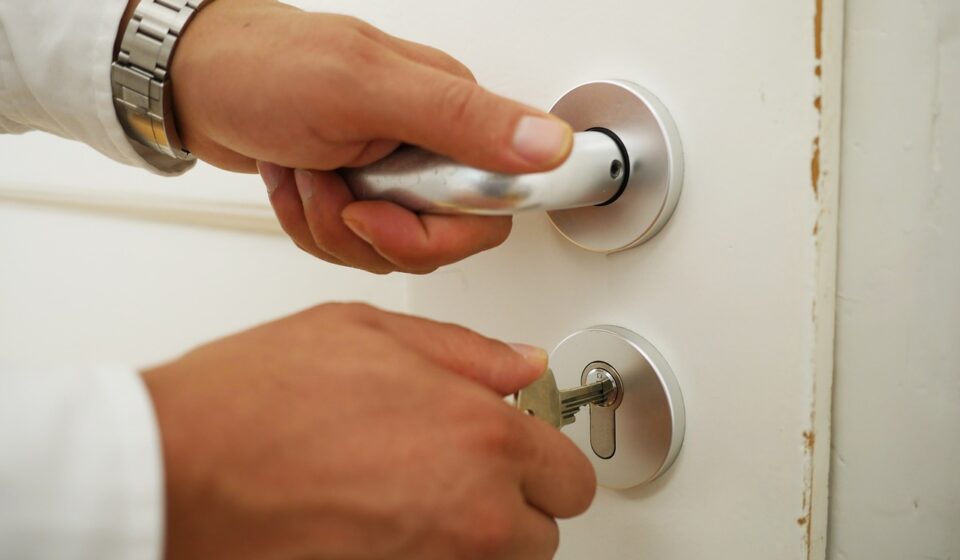
A keyless entry door lock with handle combines three decisions that are often handled separately: the mechanical lock, the handle or lever set, and the electronic credential system. The right choice is not simply the model with the longest feature list. It is the one that fits the door preparation, throws the deadbolt without strain, gives users a safe fallback during battery or network failure, and makes clear how codes, updates and data are handled. For homes, rentals, small offices and light commercial doors, the sound approach is to evaluate the product as installed door hardware first and as a smart device second.
This guide focuses on practical selection and field diagnostics rather than brand rankings. For related smart hardware troubleshooting topics, see the field diagnostics section.
Start with the door before comparing features
Many performance complaints start with a mismatch between the electronic lock and the physical door. A motorized deadbolt has less tolerance for friction than a hand-operated key cylinder. If the bolt rubs the strike plate, the motor may stall, drain batteries or report false jam errors even when the electronics are working correctly.
Door thickness, bore and backset
Before buying or replacing a handle lock, confirm the door thickness, face bore diameter, edge bore and backset. Residential entry doors in North America commonly use standardized preparations, but older doors, imported doors and custom metal doors may differ. A keyless handleset may also require a lower through-bolt for the exterior pull handle. If the replacement model uses a different lower screw position, the installer may need to fill or redrill the door instead of making a simple hardware swap.
Handing and lever orientation
Some handle locks are reversible; others are handed for left-hand or right-hand swing. Handing affects lever direction, latch bevel and interior thumb-turn ergonomics. A reversible model can simplify inventory, but it still has to be set correctly during installation. If the lever droops, the latch retracts unevenly, or the inside trim binds after tightening, inspect the spindle position and through-bolts before assuming the electronics are defective.
Deadbolt alignment and weather exposure
A correctly installed deadbolt should extend fully into the strike pocket without pushing the door up, down or inward. Seasonal swelling, loose hinges and compressed weatherstripping can change alignment after installation. On exterior doors, also check the operating temperature range, keypad weather rating, finish warranty language and battery access. A protected porch is a different environment from wind-driven rain exposure, even when both openings are described as exterior doors.
Security claims need mechanical and digital checks
For a lock with a handle, security is not a single claim. It includes forced-entry resistance, latch and bolt durability, credential controls, firmware update practices and privacy handling. Public standards do not make every product directly comparable, but they help buyers and technicians read packaging and specifications more carefully.
Look for component-level hardware ratings
The Builders Hardware Manufacturers Association describes residential lock ratings through the BHMA Certified Secure Home label, which rates security, durability and finish with letter grades. ANSI and BHMA standards for residential locksets and deadbolts are intended to evaluate hardware performance, not mobile app quality. That distinction matters for integrated handle locks because the electronic deadbolt, latch, lever, exterior escutcheon and decorative handle may not all be covered by the same claim. Read the rating line carefully and identify which component is being rated.
In commercial or code-regulated spaces, do not assume a residential smart handleset is acceptable simply because it has an app and an audit trail. Access-control installations can involve life-safety rules, egress requirements, fire-door listings and access-control equipment standards such as UL 294. A residential keyless handle lock is usually selected for convenience and controlled entry. A commercial access-control opening may require listed hardware, fail-safe or fail-secure decisions, request-to-exit devices and inspection by qualified professionals.
Evaluate PINs, fingerprints and temporary codes
A keypad lock should support unique user codes rather than one shared household or office PIN. Unique codes allow an administrator to remove a cleaner, contractor or former tenant without changing access for everyone else. Temporary codes are useful, but they should have clear start and end times, timezone handling and a visible deletion process.
NIST digital identity guidance treats PINs and passwords as memorized secrets and emphasizes controls around failed attempts and secret handling. For lock selection, that leads to practical questions: Does the keypad lock out or slow down after repeated wrong entries? Are short or repeated codes discouraged? Can administrators see when a code was added, changed or deleted? If fingerprint access is included, confirm that a PIN or mechanical key remains available for wet fingers, worn prints, gloves or sensor failure.
Check cybersecurity signals without overreading them
Consumer IoT security guidance such as ETSI EN 303 645 emphasizes no universal default passwords, vulnerability reporting, secure updates, secure communication and minimizing exposed attack surfaces. The U.S. FCC Cyber Trust Mark program was created as a voluntary cybersecurity labeling program for consumer connected devices, with a QR-code based information model in the final rule published on July 30, 2024. These programs do not mean every labeled device is risk-free. They do, however, show why buyers should ask about update periods, encryption, cloud dependency, vulnerability disclosure and account protection before installing a connected front-door product.
Connectivity changes the diagnostic path
Keyless handle locks may use Bluetooth, Wi-Fi, Thread, Z-Wave, Zigbee, NFC or a combination of these. The best choice depends less on the protocol name and more on how the door will be managed day to day.
- Bluetooth is efficient for local setup and phone-based control near the door. It is less suitable when managers need remote unlocking or cloud notifications without a bridge.
- Wi-Fi supports direct internet connectivity, but it usually consumes more power than low-energy mesh protocols. Poor signal at the door can become both a battery and reliability problem.
- Thread and Matter can improve ecosystem interoperability when the lock, hub and controller all support the required functions. The Connectivity Standards Alliance included door locks in Matter from the initial 1.0 release on October 4, 2022, and later Matter revisions continued to update device and network behavior.
- Z-Wave and Zigbee remain common in security and smart-home systems, especially where a hub already exists. Hub integration quality often matters as much as the radio itself.
- NFC or mobile wallet credentials can be convenient, but they should be checked for platform compatibility, lost-phone recovery and offline behavior.
In field diagnostics, separate local lock operation from network operation. If the thumb-turn and keypad work but the app fails, the issue is likely related to the account, bridge, radio or cloud connection. If the thumb-turn is hard to move, the app is not the root cause. If the app reports locked while the door is ajar, the lock may lack a door-position sensor or the sensor may be misaligned. See also: device architecture.
Common field symptoms and likely causes
The following table is a practical starting point for installers, facility teams and technically confident homeowners. It is not a substitute for the manufacturer manual, but it can help narrow the fault before parts are replaced.
| Symptom | Likely causes | First diagnostic step |
|---|---|---|
| Motor starts but bolt does not fully extend | Strike misalignment, warped door, tight weatherstripping, shallow bolt pocket | Operate the deadbolt with the door open, then closed. If it works open but not closed, correct the door alignment. |
| Batteries drain quickly | Motor strain, weak Wi-Fi signal, frequent polling, cold exposure, low-quality cells | Check bolt friction first, then review radio signal strength and the battery type recommended by the manufacturer. |
| Keypad accepts code but door remains locked | Clutch or tailpiece issue, wrong handing setup, incomplete calibration | Repeat the handing or calibration procedure and verify spindle and tailpiece orientation. |
| App cannot find the lock | Bluetooth permission blocked, device already paired, hub too far away, reset not completed | Confirm phone permissions and pairing state before performing a factory reset. |
| Remote unlock is unreliable | Weak Wi-Fi or mesh coverage, bridge placement, cloud latency, low battery | Test local keypad operation, then move or strengthen the hub or router connection. |
| Users report random lockouts | Expired schedules, timezone mismatch, deleted code, failed fingerprint reads | Audit user schedules and test each credential type at the door. |
Where a handle-integrated lock makes sense
A handle-integrated keyless lock is appealing when the door needs a coordinated exterior appearance, a lever or pull handle, and simple code-based access. It can be a good fit for single-family homes, side entries, small offices, storage rooms, short-term rental units and interior controlled rooms where the lock is not part of a regulated egress system.
The design is less ideal when the door already has high-end mechanical hardware that should be preserved, when the opening is exposed to severe weather, or when multiple doors must be managed under a professional access-control platform. In those cases, a separate smart deadbolt, electrified mortise lock, keypad reader or commercial access system may be more maintainable.
For rental and shared-use environments, the administrative process matters as much as the hardware. Create a standard operating procedure for adding users, expiring temporary codes, replacing batteries, updating firmware and recovering access after a phone is lost. A lock that is easy for one homeowner can become risky when several staff members share administrator credentials.
Pre-purchase checklist
Before selecting a keyless entry door lock with handle, use a checklist that covers physical fit, access policy and support lifecycle.
- Confirm door thickness, bore size, backset, handing and lower handle screw position.
- Check whether the product is intended for exterior use and whether the keypad side is weather rated for the actual exposure.
- Read which hardware component carries any ANSI/BHMA or residential rating claim.
- Verify the fallback method, such as mechanical key, emergency power contacts or interior thumb-turn.
- Confirm the supported credential types: PIN, app, fingerprint, card, NFC or temporary code.
- Ask whether user codes can be unique, scheduled, audited and deleted remotely.
- Check whether remote functions require a separate hub, subscription or cloud account.
- Review the manufacturer’s software update policy and vulnerability reporting information.
- Test whether the lock can be operated locally when internet service is unavailable.
- Plan battery replacement intervals and decide who is responsible for them.
Frequently asked questions
Is a keyless handle lock safer than a traditional deadbolt?
Not automatically. It can improve access control by removing shared keys and allowing code deletion, but physical security still depends on the bolt, strike, door frame, installation quality and hardware rating. A poorly aligned smart lock may be less reliable than a correctly installed mechanical deadbolt.
Should I choose Wi-Fi or Bluetooth?
Choose Wi-Fi if you need direct remote management and are prepared to manage battery use and signal strength. Choose Bluetooth if local control is enough or if the lock will connect through a bridge. For many doors, the better diagnostic question is not which protocol sounds newer, but whether the signal is strong at the actual door location.
What is the most common installation mistake?
The most common mistake is ignoring bolt friction. If the deadbolt does not move smoothly by hand, the motor will struggle. Always test the lock with the door open and closed before completing app setup or blaming firmware.
Do Matter-compatible locks work with every smart-home app?
Matter is designed to improve interoperability, and door locks are a supported device type. However, app support can still vary by ecosystem, lock firmware, hub capability and specific functions such as remote unlock, user-code management or door-state reporting. Confirm the functions you need, not just the logo.
How often should batteries be replaced?
Battery life varies by radio type, traffic, temperature, alignment and battery chemistry. Replace batteries when the lock reports low power, after unexplained motor errors, or on a preventive schedule for rental and business doors. If batteries drain unusually fast, inspect door alignment before assuming the electronics are defective.