How a keyless entry electronic deadbolt works and what to check before installing one

Quick answer
A keyless entry electronic deadbolt replaces the daily use of a metal key with a keypad, app, card, fingerprint reader, mobile wallet, or smart home command. The door, however, is still secured by a physical deadbolt. The right way to evaluate one is not simply to ask whether it is smart. Check five layers: the mechanical deadbolt and strike, the motor or clutch that moves the bolt, the credential system, the wireless and cloud architecture, and the battery and fallback design. Industry sources such as ANSI/BHMA, NIST, the FCC, and the Connectivity Standards Alliance point to the same practical conclusion: convenience should not be treated as a substitute for mechanical strength, secure updates, and good installation.
For readers following smart hardware design more broadly, this article fits within the same system-level view used in device architecture: a lock is not a single component, but a stack of mechanical, electrical, radio, firmware, cloud, and user-experience decisions.
What a keyless entry electronic deadbolt actually is
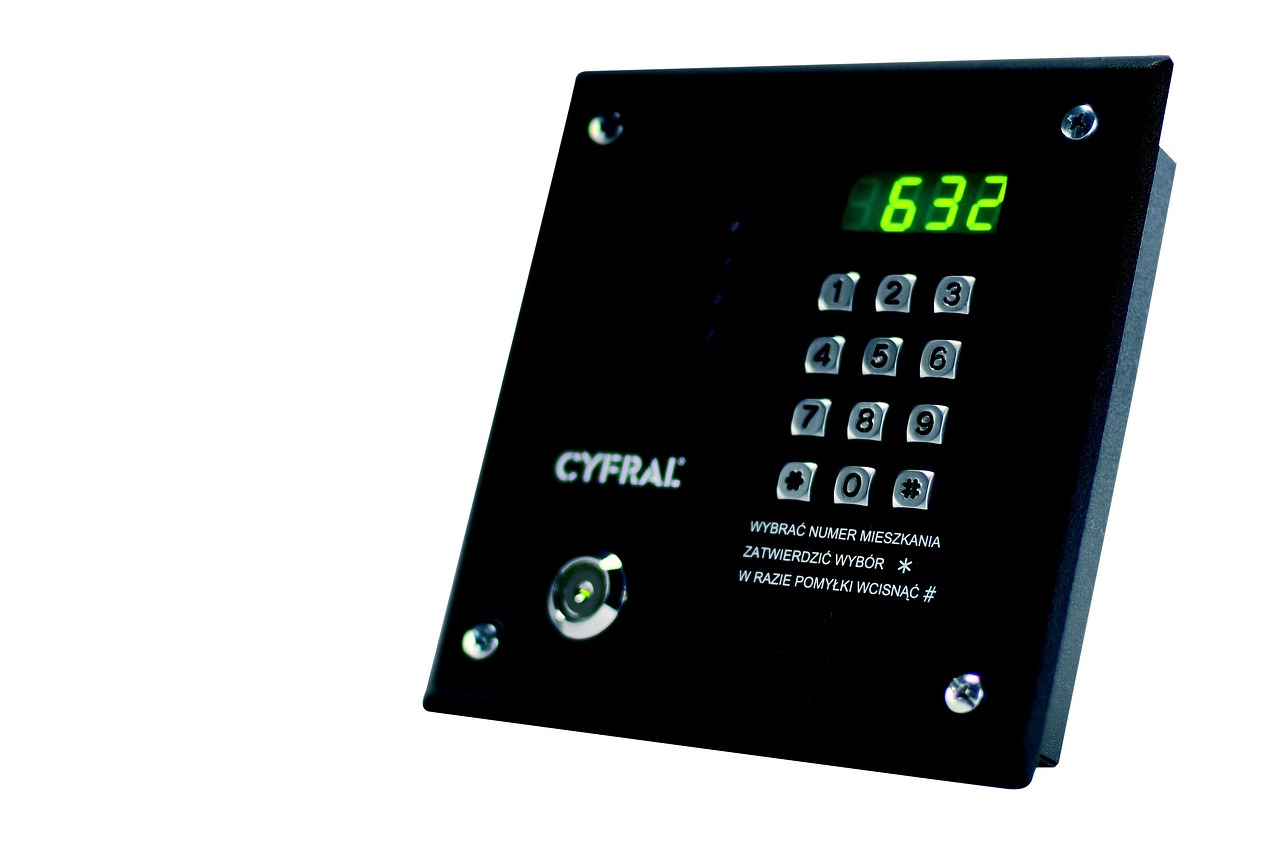
A keyless entry electronic deadbolt is an electromechanical auxiliary lock. In normal use, the user presents a credential instead of inserting a key. If the credential is accepted, the electronics either drive a small motor to retract or throw the bolt, or release a clutch so the user can turn the thumb turn or exterior knob. The deadbolt still has to extend into a strike plate and door frame in the same basic way as a traditional lock.
The word keyless can be slightly misleading. Some models are truly key-free from the outside and rely on emergency power contacts or another recovery method. Others are keyless in daily operation but still include a mechanical key cylinder. From a security and maintenance perspective, that distinction matters. A keyed cylinder adds a physical backup path, but it also adds a cylinder that can be attacked or rekeyed. A key-free design removes that cylinder from the exterior face, but it makes battery management and emergency power access more important.
Most residential electronic deadbolts combine four functional blocks:
- Lock body and bolt: the metal assembly that resists forced entry when properly installed.
- Actuator: the motor, gears, clutch, and position sensing used to move or control the bolt.
- Credential interface: keypad, fingerprint reader, phone app, NFC, card reader, voice ecosystem, or smart home platform.
- Control and communications: firmware, radio modules, app account logic, update system, event logs, and cloud or hub integration.
This is why two locks that look similar can behave very differently. One may be a simple keypad deadbolt with local codes only. Another may be a cloud-connected smart lock with Wi-Fi, temporary access codes, remote unlock, notifications, and integration with a home automation platform. The design trade-offs are different in each case.
The physical lock still carries the first security load
The electronics do not hold the door shut. The bolt, strike, screws, door material, frame, and alignment do. ANSI/BHMA A156.36-2020, the American national standard for auxiliary locks, covers requirements for auxiliary locks and includes operational, cycle, strength, security, and finish tests. BHMA also promotes consumer-facing labels that separate security, durability, and finish ratings. The key point is that a mechanical rating speaks to physical performance; it does not automatically prove that the mobile app, cloud account, or wireless stack is secure.
For an exterior residential entry, shoppers often see products marketed around ANSI/BHMA Grade 1, Grade 2, or Grade 3, or around the BHMA Secure Home style of ratings. Grade language is useful, but it should be read carefully. Confirm which standard applies, which exact model is certified, and whether the rating applies to the complete electronic deadbolt assembly rather than to a related mechanical platform or a broader product family. Marketing copy can blur those boundaries.
Installation quality can also erase the value of a better lock. A motorized deadbolt needs a smooth bolt path. If the door sags, the strike is misaligned, or weatherstripping pushes the door out of position, the motor may stall, drain batteries, or fail to lock completely. A good installation should let the bolt extend fully without force. Long strike screws into framing, a properly fitted strike plate, and a door that closes squarely are not glamorous features, but they are often more important than a new app function.
How credentials change the risk profile
The main benefit of keyless entry is access control. Instead of copying physical keys, a homeowner can create, change, schedule, and delete digital credentials. That is useful for guests, cleaners, short-term rentals, family members, and service visits. The risk shifts from lost keys to code management, account security, device security, and recovery planning.
Common credential types have different strengths and weaknesses:
| Credential type | Main advantage | Main limitation |
|---|---|---|
| PIN code | Simple, low cost, easy to share temporarily | Can be observed, reused, or left active too long |
| Mobile app | Can support remote control, logs, and revocation | Depends on phone security, account security, and vendor support |
| Fingerprint | Fast and convenient for regular users | Performance varies with sensor quality, weather, dirt, and enrollment method |
| NFC or mobile wallet | Quick tap-to-unlock experience when supported | Availability depends on phone, platform, lock model, and ecosystem rules |
| Smart home command | Useful for routines and accessibility | May expose fewer lock features than the manufacturer app |
Good access management means using unique codes for different people, deleting temporary codes after use, avoiding easy PINs, and enabling strong account protection for any remote app. For locks with remote unlock, the app account becomes part of the front door. A weak cloud password can become more relevant than a strong deadbolt.
Event logs are helpful, but they should not be oversold. A log can show that a known code was used or that the door was locked at a certain time, but it may not prove who physically entered. If several people share one code, the log loses much of its value. For rental or multi-user homes, individual credentials are a basic control rather than an advanced feature.
Connectivity choices affect battery life and privacy
Electronic deadbolts can be offline, Bluetooth-only, Wi-Fi-connected, hub-connected, or Matter-enabled. None of these choices is universally best. The right architecture depends on whether the user needs remote unlock, local-only operation, automation, longer battery life, or cross-platform compatibility.
Bluetooth is common for setup and nearby control. It can be efficient, but it usually does not provide remote access unless paired with a bridge, hub, or nearby controller. Wi-Fi can connect directly to a home router and is convenient for remote access, but it tends to put more power and network-management demand on a small battery-powered device. Thread and some hub-based approaches are designed for low-power smart home networking, but they require compatible border routers, hubs, or controllers.
Matter is important because it addresses interoperability, not because it makes every lock feature identical in every app. The Connectivity Standards Alliance describes Matter as using familiar technologies such as Bluetooth Low Energy for setup and Wi-Fi, Thread, or Ethernet for connection. Door locks are within the Matter smart home scope, and reference platforms for smart deadbolts have used Thread and Bluetooth. In practice, buyers should still verify which features are exposed to Apple Home, Google Home, Alexa, SmartThings, Home Assistant, or another controller. Access-code management, fingerprints, logs, auto-lock settings, and advanced alerts may remain in the manufacturer app.
Privacy also changes with connectivity. A keypad-only local lock may store less cloud data, while a cloud-connected lock may support remote notifications, user profiles, and logs. That does not make cloud connectivity automatically bad, but it does mean the vendor support period, update policy, account recovery process, and data handling become part of the product assessment. See also: embedded platforms.
Cybersecurity is now part of lock architecture
A smart deadbolt is an IoT device attached to a high-value physical boundary. Cybersecurity should therefore be considered part of product design, not a separate afterthought. NISTIR 8259A, published in 2020, describes core IoT device cybersecurity capabilities such as device identity, configuration, data protection, logical access to interfaces, software update, and cybersecurity state awareness. NIST IR 8425, published in 2022 for consumer IoT products, applies that baseline thinking to home and personal devices.
For a keyless entry electronic deadbolt, those ideas translate into practical questions:
- Does the device support signed or otherwise protected software updates?
- Can the user see the support period or update policy before buying?
- Are default passwords avoided, blocked, or changed during setup?
- Can credentials be revoked cleanly when a user leaves?
- Does remote access require strong account authentication?
- Is there a clear process for vulnerability reporting and remediation?
The FCC’s U.S. Cyber Trust Mark program is also relevant for connected smart home products. The FCC adopted rules for a voluntary cybersecurity labeling program in 2024, including a label and QR-code registry concept for qualifying consumer IoT products. For locks, a cybersecurity label should be treated as useful evidence of baseline cyber practices, not as proof that the product is permanently secure or physically stronger than competing hardware.
Security reviews should separate three claims that are often mixed together: mechanical resistance, electronic access control, and cyber hygiene. A lock may have strong metal hardware but weak account protection. Another may have modern app security but only a modest mechanical rating. A balanced product needs acceptable performance across all three.
Power and fallback design decide whether convenience survives daily life
Battery design is one of the most practical parts of a keyless deadbolt. A lock motor has to move metal against friction, weather, and alignment changes. Cold temperatures, weak batteries, a tight strike, and frequent Wi-Fi communication can all shorten battery life. Rather than relying on a broad battery-life claim, users should check how the lock warns about low power and what happens if the warning is ignored.
A strong fallback design may include one or more of the following: a mechanical key, exterior emergency power contacts, a USB emergency power port, a replaceable battery pack, local keypad operation without cloud service, or an interior thumb turn that works without electronics. The exact mix depends on whether the lock has a keyway and how the manufacturer handles power loss.
There is also a safety dimension. People inside the home must be able to exit quickly. For most residential settings, the interior side should remain simple and intuitive. Double-sided locking arrangements, unusual interior controls, or designs that require electronics to leave the home can create safety and code concerns depending on the building type and jurisdiction. When in doubt, local building and fire requirements should outweigh convenience features.
A practical pre-installation checklist
Before buying or installing a keyless entry electronic deadbolt, check the system as a whole rather than focusing only on the front keypad. This short checklist captures the issues most likely to affect long-term satisfaction.
- Door fit: confirm door thickness, bore pattern, backset, handing, and trim clearance.
- Bolt movement: make sure the existing deadbolt can extend and retract smoothly with the door closed.
- Mechanical rating: look for a specific ANSI/BHMA or BHMA Secure Home rating for the exact model.
- Credential controls: require unique user codes, temporary codes, easy revocation, and audit logs if multiple people will use the lock.
- Connectivity: decide whether you really need remote unlock or whether local keypad and Bluetooth access are enough.
- Platform support: verify the exact features available in your preferred smart home ecosystem, not just the logo on the box.
- Update policy: prefer vendors that explain security updates, support periods, and vulnerability handling.
- Fallback access: know how you will enter if the battery, phone, app, Wi-Fi, cloud service, or hub fails.
For most homes, the right choice is not the most feature-heavy lock. It is the model that matches the door, supports the household’s access patterns, has credible mechanical and cyber controls, and remains usable when something ordinary goes wrong.
Frequently asked questions
Is a keyless entry electronic deadbolt safer than a regular deadbolt?
It can be more manageable, but not automatically safer. The physical security still depends on the bolt, strike, door, frame, and installation. The electronic side adds useful access control, but it also adds account, software, radio, and battery considerations.
Does Matter support mean I no longer need the lock maker’s app?
Not always. Matter can improve cross-platform control, but advanced lock features may still require the manufacturer app. Before buying, check whether your chosen ecosystem supports the exact functions you care about, such as PIN management, logs, fingerprint enrollment, or auto-lock settings.
Should I choose Wi-Fi, Bluetooth, or Thread?
Choose based on use case. Wi-Fi is convenient for direct remote access but can be more demanding on batteries. Bluetooth is simple for nearby control. Thread can be attractive for low-power smart home integration when the home already has compatible border routers and controllers.
What happens if the battery dies?
That depends on the design. Some locks include a mechanical key, some provide emergency power contacts or a USB power option, and some rely on replaceable battery packs. This should be checked before installation, not after the first low-battery warning.
What is the most important installation detail?
Alignment. A motorized deadbolt should not have to force the bolt into the strike. If the door or strike is misaligned, the lock may drain batteries, fail to lock, or report errors even if the electronics are working correctly.