Schlage Encode WiFi Deadbolt architecture, features, and trade-offs
The short answer
The Schlage Encode WiFi Deadbolt is a battery-powered residential deadbolt with built-in 2.4 GHz Wi-Fi, local keypad access, Bluetooth-assisted setup, and app-managed remote control. It is built for owners who want a no-hub smart lock that can be managed through the Schlage Home app and selected partner platforms.
Its main advantage is architectural simplicity: the lock connects directly to the home network instead of relying on a separate bridge. Its main trade-off is also architectural. Wi-Fi convenience can affect battery expectations, and the standard BE489 model should not be confused with Encode Plus when Apple Home Key or deeper Apple Home integration is required. For more connected-device analysis, see our device architecture coverage.
What the device architecture looks like
At a system level, the Schlage Encode is more than a keypad attached to a deadbolt. It combines four layers: the mechanical deadbolt, the electronic control board, the local user interface, and the network/app layer. This structure explains why the product is convenient for many homes, while also showing why smart-home compatibility should be checked before purchase.
Mechanical and door hardware layer
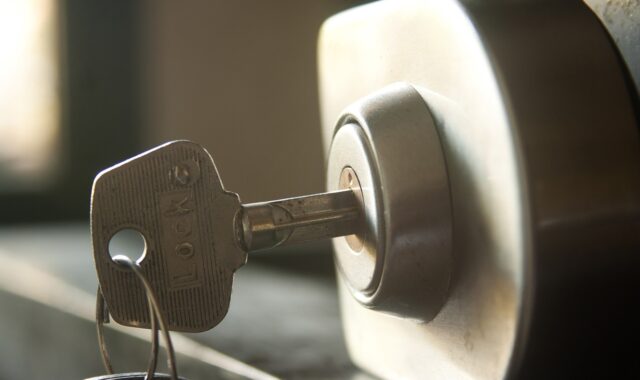
The lock remains a single-cylinder deadbolt with a physical keyway and an interior thumbturn. That matters because smart features do not replace basic door alignment, strike plate fit, or mechanical resistance. If the door rubs, the bolt binds, or the frame is misaligned, the motor has to work harder. The result may be unreliable locking, higher battery drain, or failed auto-lock events.
Schlage lists standard residential fit requirements for the Encode deadbolt, including 1-3/8 inch to 1-3/4 inch door thickness and 2-3/8 inch or 2-3/4 inch backset. In practical terms, the lock is intended for common North American bored-door preparations. It is not a universal fit for every global door type, multipoint system, mortise configuration, or specialty commercial opening.
Electronic control and local access layer
The exterior touchscreen keypad is the main local smart interface. Users can enter programmed access codes, use one-touch locking, and still fall back to a physical key. Schlage product materials describe support for up to 100 access codes on the standard Encode Smart WiFi Deadbolt, along with lock history, app alerts, and scheduled access when the lock is paired and online.
This local layer is important because the lock can still operate without a live internet path. Schlage support materials say the Encode series can be used manually with the keypad or physical key even without Wi-Fi, although advanced app features are limited without network connectivity. For reliability planning, that distinction matters: the lock should not be treated as a purely cloud-only access device, but remote administration does depend on connectivity.
Network and app layer
The headline architectural feature is built-in Wi-Fi. Unlike older Bluetooth locks that require a plug-in bridge for remote access, the Encode connects directly to the home network. Schlage support guidance specifies that Encode series locks are designed for 2.4 GHz Wi-Fi networks, a common choice for battery-powered IoT devices because 2.4 GHz typically offers longer range through walls than 5 GHz.
Once paired with the Schlage Home app and connected to Wi-Fi, the lock can be checked, locked, unlocked, and managed remotely. Schlage support materials also describe customizable notifications, history logs, access code scheduling, and management of multiple locks. In this setup, the lock is closer to a managed endpoint than a simple electronic latch: the lock, app account, Wi-Fi network, and cloud-mediated remote access all become part of the operating environment.
Connectivity and ecosystem compatibility
The standard Schlage Encode Smart WiFi Deadbolt is aimed at users who want remote access without buying a separate smart-home hub. Schlage’s current product and support materials identify compatibility with the Schlage Home app, Amazon Alexa, Google Assistant, Ring-related workflows, and Airbnb integration for eligible hosts. Airbnb announced smart lock integration availability for hosts in the United States and Canada in 2024, and Schlage’s own announcement listed the Encode Smart WiFi Deadbolt as part of the supported Encode family.
| Need | What the standard Encode offers | Architecture note |
|---|---|---|
| Remote lock control | Yes, through Schlage Home when paired and online | Requires Wi-Fi and an internet-connected phone |
| Hub-free setup | Yes for core remote features | Built-in Wi-Fi replaces a separate bridge |
| Keypad codes | Up to 100 codes listed in Schlage materials | Useful for family, guests, contractors, and rental turnover |
| Apple Home Key | Not the reason to buy the standard BE489 | Schlage positions Encode Plus for Apple Home Key users |
| Z-Wave control | No, not the standard architecture | Schlage Connect is the Z-Wave-oriented family |
The most common compatibility mistake is assuming that every Schlage smart deadbolt uses the same smart-home stack. The standard Encode BE489 is the straightforward Wi-Fi model. Encode Plus adds Apple-focused capabilities such as Apple home keys. Schlage Connect is historically associated with Z-Wave systems. Newer Schlage models also bring additional standards into the lineup. Buyers should compare the exact model number, not only the family name or trim style.
Security model and practical limits
Schlage’s product materials describe the Encode deadbolt as using a secure, encrypted connection and a built-in alarm intended to detect door movement and forced-entry attempts. The company also states that the lock is certified highest in residential Security, Durability, and Finish by BHMA industry experts. BHMA’s residential Secure Home rating system grades security, durability, and finish with A, B, and C levels, where AAA represents the top combination across all three categories.
That does not make the smart lock a complete security system by itself. A deadbolt is one component of the entry assembly. Door construction, frame reinforcement, strike plate screws, hinge condition, glass placement, and user behavior all remain important. A strong lock installed on a weak or poorly aligned door will not perform the same way as the same lock installed on a reinforced, correctly fitted entry.
Access control is also an operational issue. The value of 100 possible codes depends on disciplined code management. For a household, that might mean separate codes for family members, pet sitters, and service providers. For a rental host, it may mean rotating codes automatically through a supported platform. For a small property operator, it means removing unused codes and reviewing lock history when access patterns look unusual. See also: embedded platforms.
Battery and failure-mode planning
The Schlage Encode is powered by four AA alkaline batteries. Schlage product pages describe up to six months of battery life with typical use and include low-battery warnings on the lock and in the Schlage Home app. Schlage support materials specifically recommend new AA alkaline batteries and do not recommend lithium or rechargeable batteries for Encode battery replacement.
Battery life should be treated as an estimate, not a guarantee. Wi-Fi signal strength, lock motor effort, frequency of remote commands, temperature, door alignment, and notification activity can all influence runtime. A lock that sits far from the router, repeatedly retries network communication, or struggles to throw the bolt can behave very differently from one installed near a strong 2.4 GHz access point on a well-aligned door.
- Plan Wi-Fi before installation. Confirm that a stable 2.4 GHz network reaches the door area.
- Check the door mechanically. The bolt should extend smoothly before smart features are enabled.
- Use the specified battery type. Keep spare AA alkaline batteries on site.
- Keep physical backup access. The keyway is not old-fashioned; it is part of the failure plan.
- Watch the app and keypad warnings. Low-battery indicators should trigger maintenance, not be ignored.
During a home power outage, the lock itself can continue to operate on batteries. Remote features may still be affected if the router, modem, or broader internet connection loses power. This distinction is important for homeowners and hosts: the door hardware can remain usable locally even when the network layer is unavailable.
Where the Encode fits in a 2026 smart home
As of October 2026, the standard Schlage Encode still makes sense for users who prioritize simple remote access over standards-heavy smart-home experimentation. It is especially logical when the primary requirements are keypad entry, app-based remote management, voice assistant compatibility with Alexa or Google Assistant, and integration workflows for platforms such as Ring or Airbnb.
It is less ideal for buyers whose first requirement is Apple Home Key, Matter-over-Thread experimentation, local-first automation, or Z-Wave alarm-panel integration. Those buyers should compare Encode Plus, newer Schlage models, or Z-Wave alternatives before committing. The key editorial point is that “smart lock” is not one architecture. Wi-Fi, Thread, Bluetooth, Z-Wave, and cloud integrations create different maintenance profiles.
For many households, the hub-free model is the attraction. There is no bridge to place, no Z-Wave mesh to tune, and no separate gateway to explain to guests. For advanced smart-home users, that same simplicity may feel limiting because Wi-Fi locks depend heavily on router quality, app support, and vendor integrations. The right choice depends on the system around the door, not just the lock on the door.
Buying and deployment checklist
- Confirm the model number. BE489 refers to the standard Encode Smart WiFi Deadbolt, while BE499 refers to Encode Plus.
- Confirm the ecosystem. Choose standard Encode for hub-free Wi-Fi access; choose another model if Apple Home Key or Z-Wave is mandatory.
- Measure the door. Check thickness, backset, bore preparation, and strike alignment before installation day.
- Test 2.4 GHz Wi-Fi at the door. Do not rely only on phone signal bars inside the house.
- Design code policy. Decide who gets permanent, recurring, temporary, or one-time access.
- Schedule battery maintenance. Treat low-battery warnings as operational events, especially for rentals.
Frequently asked questions
Does the Schlage Encode WiFi Deadbolt need a hub?
For its core remote features through the Schlage Home app, the standard Encode is designed around built-in Wi-Fi and does not require a separate bridge. Some third-party ecosystems may have their own requirements, so the exact integration should be checked before purchase.
Does Schlage Encode work without Wi-Fi?
Yes, the lock can be used locally with the keypad or physical key, and Schlage support materials state that pairing without Wi-Fi is possible. However, remote control, real-time notifications, scheduling, and partner integrations require network connectivity.
Is Schlage Encode the same as Encode Plus?
No. The names are close, but the architecture and ecosystem positioning differ. The standard Encode BE489 is the hub-free Wi-Fi deadbolt. Encode Plus is the more Apple-focused model and is the better fit when Apple Home Key is a core requirement.
What is the biggest installation issue to avoid?
The biggest issue is treating the lock as only an app setup. Door alignment, bolt travel, backset, door thickness, Wi-Fi range, and battery type all affect the final experience. A clean mechanical installation is the foundation of reliable smart behavior.