How a keyless entry door lever works inside the smart lock stack
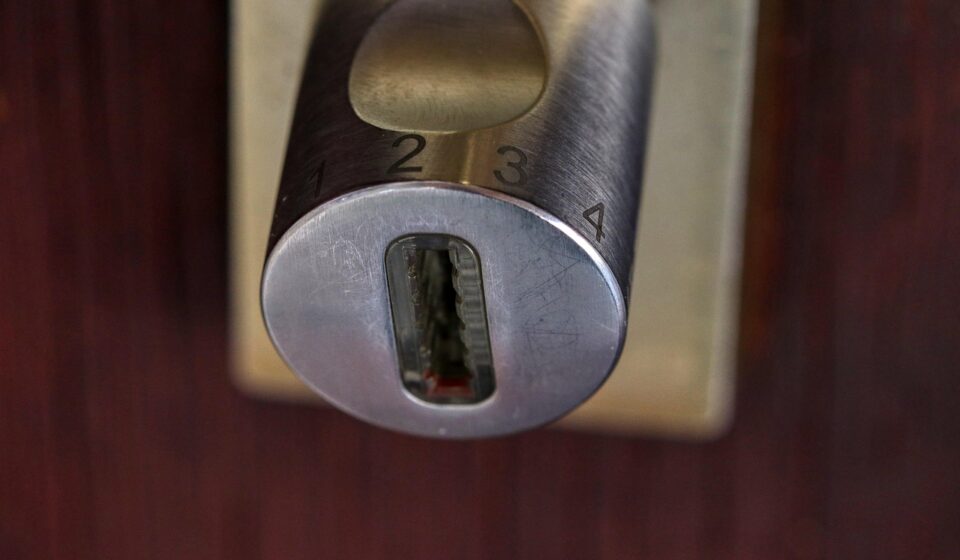
Keyless entry door lever in one sentence
A keyless entry door lever is a lever-style lockset that allows an authorized user to open a latched door without using a traditional key at the moment of entry. In architecture terms, it combines a mechanical lever and latch, an electronic credential reader such as a keypad, card reader, fingerprint sensor or phone-based interface, a local controller, a power system and, in many models, wireless connectivity. The lever format matters because it changes the application. These products are often chosen for convenience, shared access and interior or secondary exterior doors, while the security result still depends on the door, frame, strike, latch design, installation quality and credential policy.
The device architecture behind a keyless entry door lever
Although many products are marketed with similar language, a keyless entry door lever is not just a handle with a keypad. It is a compact access-control system built into door hardware. The architecture can be viewed in five layers: mechanical locking, credential capture, local decision-making, power management and optional network services.

For more smart hardware breakdowns, see the device architecture section.
Mechanical lever, latch and strike
The mechanical layer is still the part that physically keeps the door closed. The lever retracts the latch, and the latch engages with a strike mounted in the frame. If the latch, strike screws, door edge or frame are weak, electronic features cannot make up for that physical weakness. This is why hardware standards and door preparation details matter. ANSI/BHMA grading is commonly used in North America to describe tested performance levels for lock hardware categories, but the grade should be read together with the exact product type and standard. It should not be treated as a generic promise that every door assembly is equally secure.
Lever locks also differ from deadbolts. A deadbolt projects a solid bolt into the frame and is typically used as a primary security element on exterior residential doors. A lever latch is often easier to operate and works well for frequent passage, accessibility and shared spaces, but it should not automatically be treated as a deadbolt replacement in every risk scenario.
Credential input
The credential layer answers a simple question: who is trying to enter? Common options include PIN codes, RFID cards or fobs, Bluetooth phone credentials, NFC-style tap interactions, biometric readers and app-based remote unlock. Each credential changes the threat model. A PIN is simple and does not require a phone, but it can be shared too easily. A card or fob is convenient for offices, rentals and shared facilities, but it can be lost. A fingerprint reader can reduce code sharing, but it adds sensor cost, environmental sensitivity and privacy expectations. Phone-based access can support temporary credentials, but it depends on app usability, battery status and platform support.
Local controller and lock logic
The embedded controller checks the credential against stored rules. Those rules may include active time windows, one-time codes, user roles, lockout after repeated failures and audit events. In a well-designed system, basic unlock decisions should remain possible locally when the internet is unavailable. Cloud services can add remote management, notifications and log synchronization, but a door device should not become unusable simply because a broadband connection is down.
Power and fallback design
Most residential and light-commercial keyless lever products use batteries. Power design affects motor strength, wake behavior, wireless duty cycle, low-battery alerts and emergency entry. A keypad model may conserve energy by sleeping until touched. A Wi-Fi model usually consumes more power than a Bluetooth or Thread design because it maintains a heavier network connection. Good architecture includes clear low-battery warnings, a safe method for emergency power or mechanical override and predictable behavior after battery replacement.
How a lever smart lock differs from a smart deadbolt
Searchers often compare keyless entry door lever products with smart deadbolts because both remove the need to carry a key for daily use. The difference is not only appearance; it affects where the product fits in a door system.
| Design point | Keyless entry door lever | Smart deadbolt |
|---|---|---|
| Main mechanical action | Retracts a spring latch through the lever | Throws or retracts a deadbolt |
| Common use cases | Interior offices, storerooms, shared rooms, side entries, rental rooms and doors needing frequent passage | Primary exterior residential entry doors and higher-security entry points |
| User experience | One-hand lever operation after authorization | Unlock first, then use a separate knob or lever to open |
| Security dependency | Highly dependent on latch, strike, door prep and whether another lock is present | Highly dependent on bolt throw, strike reinforcement, door and frame quality |
| Accessibility value | Lever operation can be easier than a round knob for many users | May still require a separate handle action after unlocking |
For a home front door, a lever product may be part of the entry set, but the specification should confirm whether it includes a deadbolt function or only controls the latch. For an interior office or shared equipment room, a keyless lever can be a practical fit because it combines access control and easy passage in one unit.
Security and standards checkpoints
A useful evaluation starts by separating three areas that marketing language often blends together: physical security, electronic safety and cyber resilience.
- Physical security: Look for the relevant ANSI/BHMA category and grade for the lock type, and remember that grade testing applies to hardware under defined conditions. The door, frame, hinges and strike installation are still part of the real-world result.
- Electronic safety: Access-control components in commercial or regulated environments may need listings such as UL 294 for access control system units or other applicable standards depending on the function. Egress, fire-rated openings and special locking arrangements should be reviewed by qualified professionals rather than treated as ordinary consumer installations.
- Radio compliance: Products using Wi-Fi, Bluetooth, Thread or similar radios are intentional radiators and must meet applicable radio requirements in their market. In the United States, FCC rules are relevant for connected devices.
- IoT security: A connected lock should support unique credentials, secure update mechanisms, protected communication and a clear update policy. The FCC’s consumer IoT labeling program and NIST consumer IoT security work signal that regulators and standards bodies increasingly view the device, app, cloud and supporting services as one product ecosystem.
For homeowners, the practical checklist is straightforward: avoid shared permanent codes, remove former users promptly, enable notifications if they are useful, keep firmware current and protect the phone account used to manage the lock. For property managers or small offices, the checklist should also include user lifecycle procedures, documented code rotation and a plan for lost phones, lost fobs and employee turnover.
Connectivity choices and interoperability
Connectivity determines how the lever lock communicates with phones, hubs and cloud systems. Bluetooth is common for local setup and nearby unlocking. Wi-Fi can enable direct remote access without a separate hub, but it may reduce battery life. Thread is designed for low-power mesh networking and is often discussed with Matter. Z-Wave and Zigbee remain common in some security and smart-home ecosystems, especially where a hub is already installed.
Matter is relevant because the Connectivity Standards Alliance includes door locks as a supported device category. In plain language, Matter aims to improve interoperability across major smart-home platforms. However, support for a protocol does not mean every advanced feature will work the same way in every app. Code management, logs, geofencing, battery reporting and door-position sensing may still depend on the manufacturer’s implementation and the platform being used.
For a keyless entry door lever, the best connectivity choice is usually driven by the operating model. A single-family home may value voice assistant integration and remote unlock. A rental room may value temporary PINs and audit history. A small office may value card credentials and centralized user removal. A building with strict egress requirements may need a more formal access-control system rather than a standalone consumer lock. See also: embedded platforms.
Installation details that decide whether the product works well
Many problems with keyless lever products are not caused by the electronics. They come from door alignment, incorrect backset, weak strikes, weather exposure or a mismatch between the product and the door’s handing. Before choosing a model, confirm the door thickness, bore hole pattern, backset, latch faceplate, handing, exterior exposure and whether the opening is fire-rated or subject to local building rules.
Weather exposure is especially important. An exterior keypad or reader may need an outdoor rating, but the interior electronics can still be vulnerable if installed on a gate, in an unconditioned space or on a door with water intrusion. Temperature also matters because batteries and sensors behave differently in extreme cold or heat. If the product will be used on a high-traffic door, cycle durability and service access become more important than app features.
Door position sensing is another practical detail. A lock can report that the latch or motor is locked, but that does not always prove the door is fully closed unless a door-position sensor is part of the system. For users who rely on remote status, this distinction matters. A good architecture separates lock state from door state and explains both clearly in the app.
Common failure modes and design responses
Every access device should be evaluated by asking what happens when something fails. In a keyless entry door lever, common failure modes include a depleted battery, jammed latch, forgotten code, lost phone, failed fingerprint read, network outage, firmware issue and physical damage to the exterior reader.
- Battery depletion: The device should warn early and provide a documented emergency method, such as temporary external power or a mechanical override.
- Network outage: Previously authorized local credentials should continue to work when possible, while remote management waits for reconnection.
- Credential compromise: Managers should be able to delete users and change PINs without replacing the entire lock.
- Mechanical misalignment: The latch should move smoothly without forcing the motor. If the door sags or the strike is misaligned, battery life and reliability suffer.
- Account compromise: The management app should be protected with strong account security, because the phone account can become the real master key.
The safest product is not simply the one with the most unlock methods. It is the one whose failure behavior is predictable, documented and appropriate for the door’s role.
How to compare products without relying on feature lists
A structured comparison is more useful than counting features. Start with the opening: Is this a primary exterior door, interior office, rental room, storeroom or shared amenity space? Then define the access model: permanent household users, temporary guests, rotating staff, contractors or tenants. After that, match the credential method, connectivity and management workflow to that use case.
For a household, a keypad plus app may be enough. For a shared workplace, the ability to remove users quickly may matter more than fingerprint unlock. For a rental property, temporary codes, audit logs and battery alerts may be more important than voice assistant support. For a commercial egress door, code compliance and listed hardware should come before convenience features.
The main takeaway is that a keyless entry door lever should be specified as a door system component, not as a gadget. The lever, latch, strike, credentials, controller, power source, app, cloud service and maintenance routine all affect the outcome.
Frequently asked questions
Is a keyless entry door lever secure enough for a front door?
It can be suitable for some front-door configurations, but the answer depends on whether the product includes or works with a deadbolt, how the strike is reinforced, the quality of the door and frame, and the relevant hardware grade. For a primary exterior door, do not assume a latch-only lever provides the same resistance as a properly installed deadbolt.
Does a keyless lever lock work when the internet is down?
Many designs allow local credentials such as PINs, cards or Bluetooth access to continue working without internet service. Remote unlock, notifications and cloud log synchronization may be delayed until connectivity returns. Buyers should confirm offline behavior before installation.
Are fingerprint levers better than keypad levers?
They solve different problems. Fingerprint access can reduce code sharing and speed up entry for enrolled users, but it adds sensor complexity and may be affected by wet, dirty or injured fingers. Keypads are simpler and easier for temporary access, but PIN management must be disciplined.
What is the most overlooked specification?
Door compatibility is often overlooked. Backset, bore pattern, handing, door thickness, latch type, weather exposure and strike alignment can determine whether the lock works reliably. Connectivity features matter only after the mechanical fit is correct.