How to diagnose a smart front door lock before replacing it
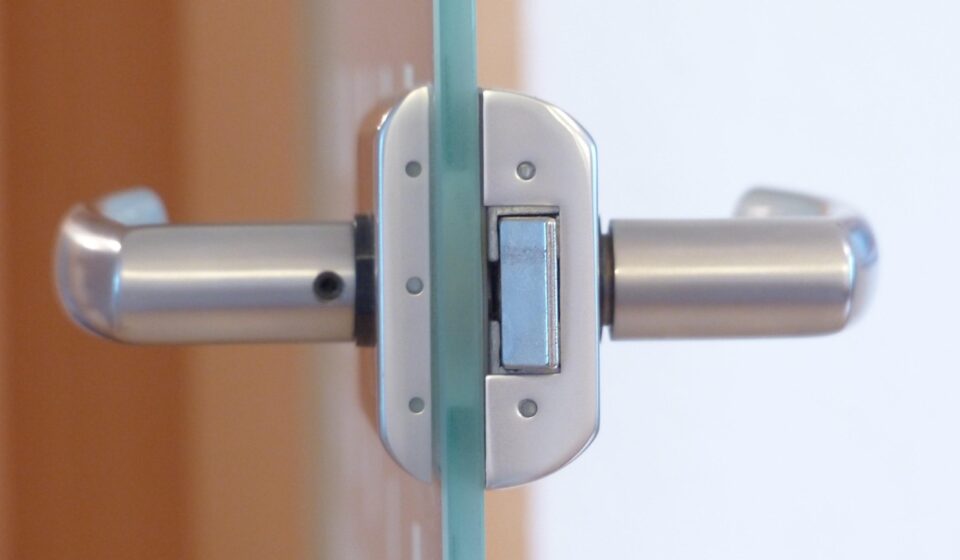
A smart front door lock is more than a deadbolt with an app. It is a mechanical lock, a battery-powered embedded device, a wireless node, a credential reader and, in many cases, a cloud-connected product. When it fails, the visible symptom can point in the wrong direction. A door that will not unlock may be caused by frame misalignment, weak batteries under load, a jammed motor, poor radio coverage, a revoked user credential, a firmware defect or a service outage. Good diagnosis starts by separating those layers and changing only one variable at a time.
The field method below is intended for homeowners, installers, property teams and smart hardware reviewers who need to decide whether to repair, reconfigure or replace a smart front door lock. It also reflects current industry context from Matter, Aliro, NIST, FTC and ANSI/BHMA materials, without treating any single standard as a guarantee of complete security.
Why smart front door lock faults are often misdiagnosed
The common mistake is to treat a connected lock as either a “lock problem” or an “app problem.” In practice, the fault path is often layered. The lock may report a low-battery warning only after the motor meets resistance. The app may show the device as offline because the lock is conserving power after repeated failed wake attempts. A user may suspect the credential when the latch is actually binding against the strike plate.
Start by classifying the symptom rather than replacing parts. Record the exact failure mode: does the keypad reject codes, does the app fail to connect, does the motor run without moving the bolt, does the bolt move only when the door is open, or does the lock work locally but fail remotely? Each answer points to a different part of the system.
The Connectivity Standards Alliance released Matter 1.0 on October 4, 2022 with door locks among the initial supported smart home product categories. Later updates expanded the broader smart home ecosystem, including Matter 1.2 on October 23, 2023 with latch and bolt door lock enhancements, Matter 1.3 on May 8, 2024 with revisions to Door Lock and General Diagnostics clusters, and Matter 1.5.1 on March 31, 2026 with improvements around cameras and video doorbells. For field teams, the practical point is that front door access is increasingly part of a multi-device entry system, not a standalone product.
Start with mechanical evidence before opening the app
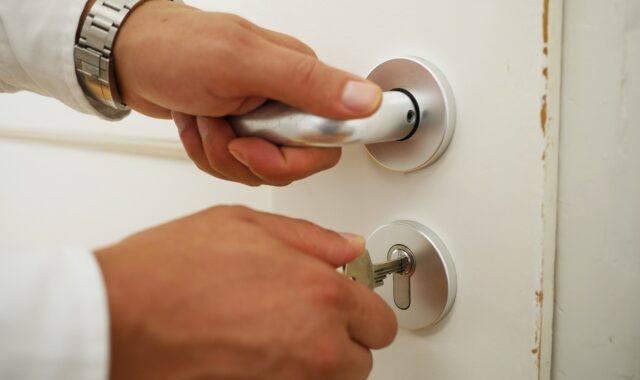
A smart lock can only automate the motion that the door hardware can already perform. Before testing radios, hubs or credentials, check whether the door closes cleanly and whether the bolt extends and retracts smoothly by hand. Test with the door open, then repeat with the door closed. If the bolt works when the door is open but struggles when it is closed, the likely cause is door alignment, hinge sag, weather stripping pressure, strike plate position or seasonal expansion.
Use a simple observation sheet before making adjustments:
- Does the door need lifting, pulling or pushing before the bolt moves?
- Does the latch or bolt scrape the strike plate?
- Is there visible wear, paint buildup or deformation around the strike opening?
- Does the lock report a jam only in cold, humid or high-heat conditions?
- Does the thumb turn feel heavier than it did when the lock was installed?
If any of these signs appear, do not start with a device reset. A reset may erase logs, remove credentials and hide the original failure sequence while leaving the mechanical cause unchanged. Correct the door fit first, then repeat the same lock and unlock test under the same conditions.
ANSI/BHMA lock standards are useful reference points because they address performance, cycle, strength and related requirements for defined lock categories. However, ANSI material also notes that no lock can provide complete security by itself. For a front door, the lock has to be evaluated together with the door, frame, strike reinforcement, installation quality, access policy and user behavior.
Check power under load, not only battery percentage
Battery readings can be deceptive. A lock may show an acceptable battery percentage while the cells sag under motor load, especially when the bolt is under mechanical resistance or the temperature is low. For that reason, power checks should come after mechanical friction has been ruled out, and the test should include repeated lock cycles rather than a single app reading.
For battery-powered smart hardware, the useful field question is not “Are the batteries new?” but “Can the battery pack maintain voltage during the operation that fails?” If the lock supports diagnostics, note the battery level before and after several open-door cycles and several closed-door cycles. If symptoms appear only during closed-door cycles, mechanical load is still suspect. If symptoms appear in both cases, the battery pack, contacts, motor driver or firmware power management may be involved.
Practical power checks include:
- Use the battery chemistry recommended by the manufacturer, because some locks are tuned for alkaline cells while others support rechargeable packs.
- Inspect terminals for corrosion, looseness or deformation.
- Replace all cells as a set rather than mixing old and new cells.
- Test after the lock has been idle overnight if the reported fault happens mainly in the morning.
- Record whether low-battery warnings appear before, during or after failed motor movement.
NIST consumer IoT guidance emphasizes secure update capability and device status visibility as important cybersecurity and lifecycle functions. In field terms, a lock that cannot report useful power, firmware or connectivity state is harder to maintain, even if it works during a short demonstration.
Separate local control, remote control and automation failure
Once the mechanism and power source have been checked, separate the access paths. A typical smart front door lock may support a physical key, thumb turn, keypad PIN, fingerprint, NFC, Bluetooth, Wi-Fi through a bridge, Thread through a border router, Matter through an ecosystem controller and remote cloud control. These paths should not be tested as one combined problem.
| Test path | What it proves | What it does not prove |
|---|---|---|
| Physical key or thumb turn | Core mechanical movement | Motor, app, credentials or radio health |
| Keypad or local biometric | Local credential acceptance and motor action | Remote access or cloud service health |
| Bluetooth near the door | Short-range device-to-phone control | Wi-Fi, hub or internet reliability |
| Hub, Matter controller or bridge | Local ecosystem integration | Manufacturer cloud availability |
| Remote app control away from home | Cloud, account and network path | Door alignment or local credential quality |
If the keypad works but the remote app fails, replacing the lock body is rarely the first answer. Check account authorization, hub connectivity, router changes, DNS or internet availability, bridge placement and service status. If remote access works but the keypad fails, focus on credential memory, keypad contamination, input lockout, firmware state or local user policy.
The FTC advises consumers to use available security features, check firmware updates and reset connected devices when ownership changes. For field diagnostics, this means account state and device ownership must be treated as part of the system. A lock transferred between tenants, homeowners or test accounts may still contain old permissions unless it has been properly removed, reset and re-enrolled.
Read credential and permission failures as security signals
Access failures are not always defects. A smart lock should refuse certain attempts. Failed PINs, expired guest codes, disabled phone keys, revoked household users, failed biometric attempts and lockout timers are security functions when they behave as intended. The diagnostic task is to decide whether the refusal is correct, misconfigured or caused by a synchronization problem.
Document the credential type involved in the failure. Is the issue tied to one user, all users, one phone model, one ecosystem account or one time window? Does the lock fail after a code schedule changes? Does a temporary access code work locally but fail to appear in the property manager’s dashboard? Does a phone key fail only after the phone operating system, wallet app or smart home platform updates?
This area is changing quickly. On February 26, 2026, the Connectivity Standards Alliance announced Aliro 1.0, a communication protocol and credential standard intended to improve interoperability between smartphones, wearables, readers and access control systems. UL Solutions announced Aliro testing services on April 10, 2026 covering NFC, Bluetooth Low Energy and Ultra-Wideband technologies. These developments do not mean every smart front door lock immediately supports the same digital key experience, but they show where the access market is moving: toward standardized mobile credentials and more consistent certification paths.
For diagnosis, Aliro’s direction reinforces a practical point: credentials should be tested as credentials, not confused with the lock motor. A phone wallet problem, ecosystem enrollment problem or permission sync problem may leave the mechanical and embedded lock assembly healthy.
Use firmware, logs and network state before factory reset
A factory reset is sometimes necessary, but it should not be the first diagnostic step. Resetting too early can destroy the evidence needed to understand a repeat failure. Before a reset, capture the firmware version, app version, hub or bridge model, network name changes, error messages, lock event history, battery state and the time of the failed attempts.
Matter updates have made diagnostics more central to the smart home conversation. Matter 1.3 specifically listed General Diagnostics among the revised clusters, while Matter 1.4.1 focused on setup improvements such as enhanced setup flow, multi-device setup QR code support and onboarding information in NFC tags. Matter 1.4.2, released on August 11, 2025, emphasized security, certification, infrastructure and coordinated ecosystem improvements. These changes matter because many “lock failures” are actually commissioning, ecosystem or lifecycle management failures.
When investigating connectivity, avoid vague notes such as “Wi-Fi bad.” Record the actual topology:
- Is the lock using Wi-Fi directly, Bluetooth to a bridge, Thread to a border router, Z-Wave, Zigbee or Matter over a supported transport?
- Where is the nearest hub, bridge, access point or border router?
- Was the router, SSID, password, mesh node or firewall changed recently?
- Does the lock reconnect after a power outage?
- Does the fault happen after a firmware update, app update or platform migration?
NIST and FTC consumer guidance both place importance on updates and security settings. In practice, a smart lock that is no longer receiving updates, cannot be recovered reliably, or cannot be removed from previous accounts may be a lifecycle risk even if its motor still works.
A practical field diagnostic sequence
The following sequence helps avoid unnecessary replacement and preserves the evidence needed for escalation:
- Capture the symptom. Record the user, credential type, time, weather or temperature condition, app message and whether the door was open or closed.
- Preserve the state. Do not reset, delete users or remove the device from the ecosystem until basic evidence has been collected.
- Test mechanical movement. Use the key or thumb turn with the door open and closed. Correct binding before software work.
- Test power under load. Replace cells as a set if needed, inspect contacts and repeat multiple lock cycles.
- Test local credentials. Try keypad, biometric, NFC or Bluetooth access close to the door, depending on the lock design.
- Test ecosystem control. Check hub, bridge, Matter controller, Thread border router or platform connection separately from remote cloud control.
- Review firmware and logs. Capture versions, error history and recent updates before any reset.
- Compare with a known-good condition. Test another phone, another user account, another battery set or another hub location, but change only one variable at a time.
- Decide the remedy. Adjust the door, replace batteries, repair contacts, re-enroll credentials, move the hub, update firmware, reset carefully or replace the lock only when the evidence supports that choice.
This sequence is especially useful in rental homes, small offices and multi-user households because it separates user permission issues from product reliability issues. It also creates a service record that can be reviewed if the same entrance fails again.
When replacement is the safer decision
Replacement may be justified when the lock repeatedly jams after the door has been corrected, when the motor or gear train slips, when water damage or corrosion is present, when the device cannot receive security updates, when ownership cannot be cleanly transferred, or when the lock cannot support the access policy required for the property.
Do not replace a smart front door lock only because it lost connection once after a router change. Do consider replacement if the device has a pattern of unexplained unlock failures, unreliable recovery after outages, missing event history, unsupported firmware, damaged battery contacts or unclear credential revocation. For access control, reliability and auditability are part of safety, not optional conveniences.
The FCC’s voluntary U.S. Cyber Trust Mark program for wireless consumer IoT products is also relevant to future purchasing decisions. When such labeling is available on a product, it can help buyers compare cybersecurity claims more consistently. It should still be read alongside mechanical certification, installation requirements, update policy, credential support and real-world maintainability.
A smart lock replacement decision should combine four views: the physical door system, the embedded hardware, the credential model and the product lifecycle. The best field outcome is not always a new lock. Sometimes it is a strike adjustment, a clean battery contact, a hub relocation, a permission cleanup or a documented firmware update.
Frequently asked questions
Why does my smart front door lock work when the door is open but fail when it is closed?
This usually points to mechanical resistance rather than an app or wireless problem. The bolt may be rubbing against the strike plate, the door may be sagging, or weather stripping may be pushing the door out of position. Fix alignment before resetting the lock.
Should I factory reset a smart lock that will not connect?
Not immediately. First record the firmware version, battery condition, error messages, app state, hub status and recent network changes. A reset can help after evidence is captured, but doing it too early can remove the information needed to identify a repeat fault.
Does Matter make a smart lock more secure?
Matter is designed to improve interoperability and includes security architecture for supported smart home devices. However, it does not make installation quality, credential management, battery health, firmware support or door reinforcement irrelevant. A Matter-compatible lock still needs proper field validation.
What is the difference between Matter and Aliro for smart locks?
Matter is a broader smart home interoperability standard that includes door locks among supported device categories. Aliro is focused on mobile access credentials and communication between smartphones, wearables, readers and access control systems. In simple terms, Matter helps devices work in smart home ecosystems, while Aliro targets the digital key experience.
How do I know whether a smart lock should be replaced?
Replace it when evidence points to a failing lock assembly, unsafe corrosion or water damage, unsupported firmware, unreliable credential revocation, repeated motor or gear failure, or an ownership state that cannot be securely cleared. If the evidence points to door alignment, batteries, hub placement or account settings, repair or reconfiguration may be the better first step.
For more practical smart hardware troubleshooting workflows, visit the Field Diagnostics section.